The best app to learn Japanese as a beginner depends on what you need first: a daily habit (Duolingo), reading kana and real words (Rail Typing), structured grammar (LingoDeer), a free all-in-one toolkit (Renshuu), kanji (WaniKani) or your own flashcards (Anki). Most beginners do best with two apps: one that teaches the language, and one that drills reading until it is automatic. Below is how the six compare, which to pair, and a first-month plan.
Disclosure: we make Rail Typing. We have tried to describe every app here fairly; features and prices were checked in November 2026 and change often, so confirm prices in your app store.
Quick picks
| If you want… | Start with |
|---|---|
| A fun daily habit with sentences and vocabulary | Duolingo |
| To read hiragana, katakana and real kanji names fast, plus listening | Rail Typing |
| Clear grammar explanations in a set order | LingoDeer |
| A free toolkit for vocabulary, grammar and kanji | Renshuu |
| A long, structured path through kanji | WaniKani |
| Full control over what you review | Anki |
The six apps compared
| App | Best for | Platforms | Free to start? | Pricing model |
|---|---|---|---|---|
| Duolingo | Daily habit, basic sentences | iOS, Android, web | Yes, the core course is free | Optional Super subscription |
| Rail Typing | Reading kana and kanji in real words, listening | iPhone and iPad; a separate website | Yes: Yamanote Line, a daily free line, every mode | Optional All-lines pass |
| LingoDeer | Structured grammar lessons | iOS, Android, web | The alphabet section and first lessons | Subscription for the full course |
| Renshuu | Vocabulary, grammar and kanji drills | iOS, Android, web | Yes, most content is free | Optional Pro |
| WaniKani | Kanji and vocabulary with mnemonics | Web (third-party mobile apps) | The first three levels | Subscription or lifetime |
| Anki | Spaced-repetition flashcards | Desktop, Android, web; paid iPhone app | Yes on desktop, Android and web | One-time purchase on iPhone |
What each app is good at
Duolingo — the easiest habit to start
Short, game-like lessons, streaks and reminders make it the easiest app to open every day. The Japanese course starts with hiragana, introduces katakana and kanji along the way, and has a characters section for practising them. Its strength is momentum; reviewers often note that kanji appear without much explanation, so many learners add a dedicated reading tool.
Rail Typing — reading real Japanese, stop by stop
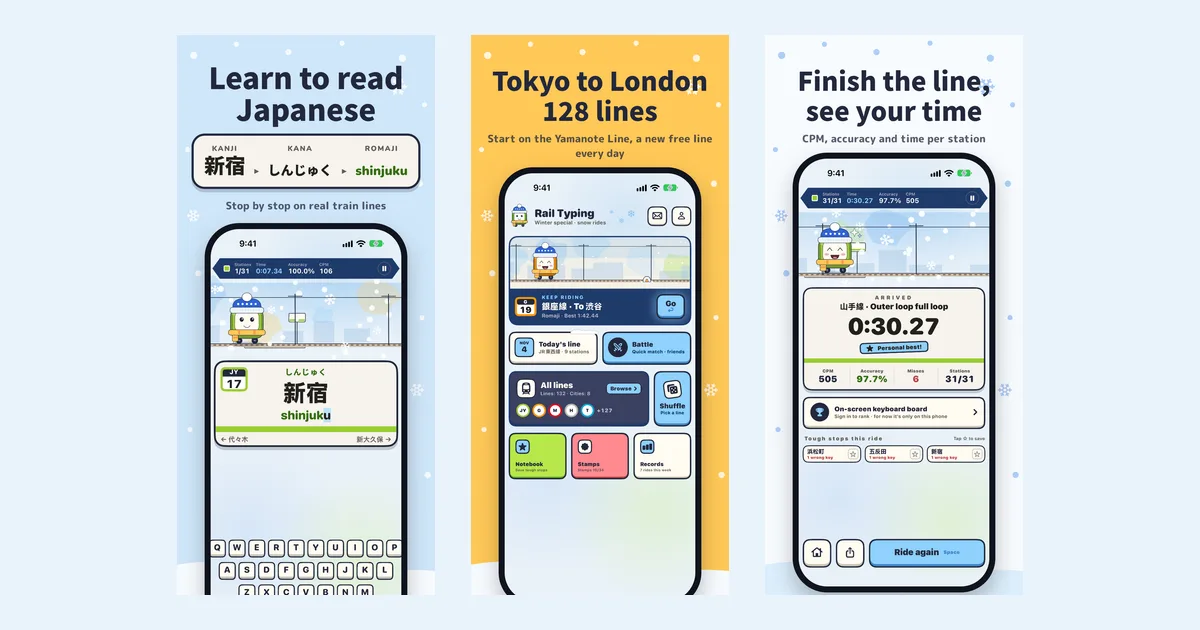
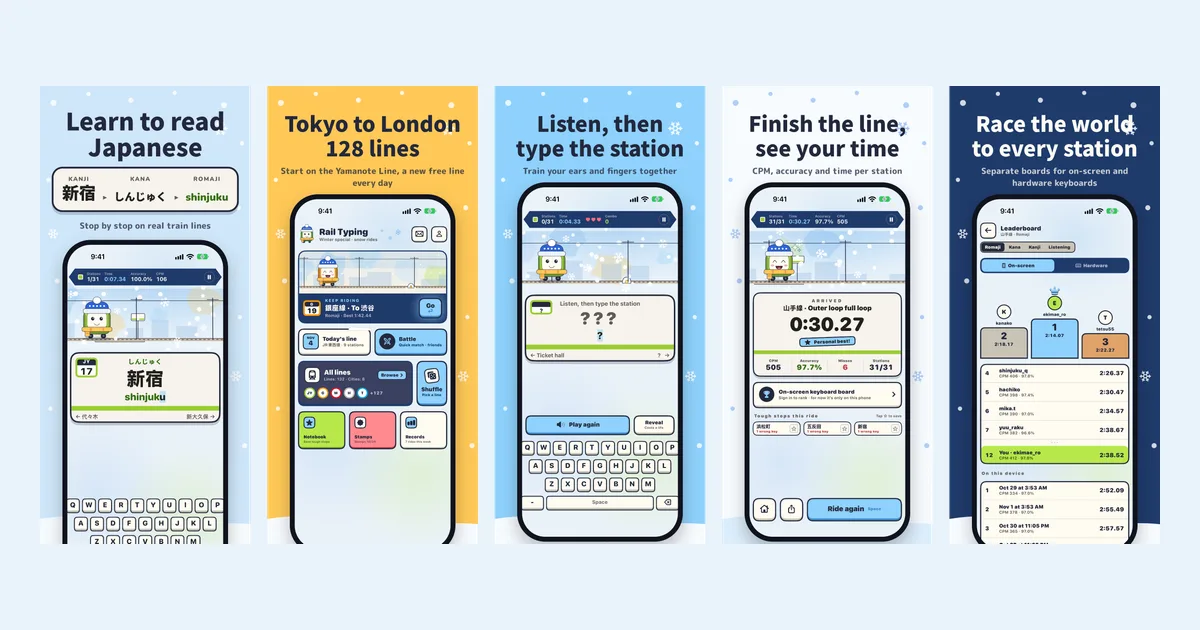
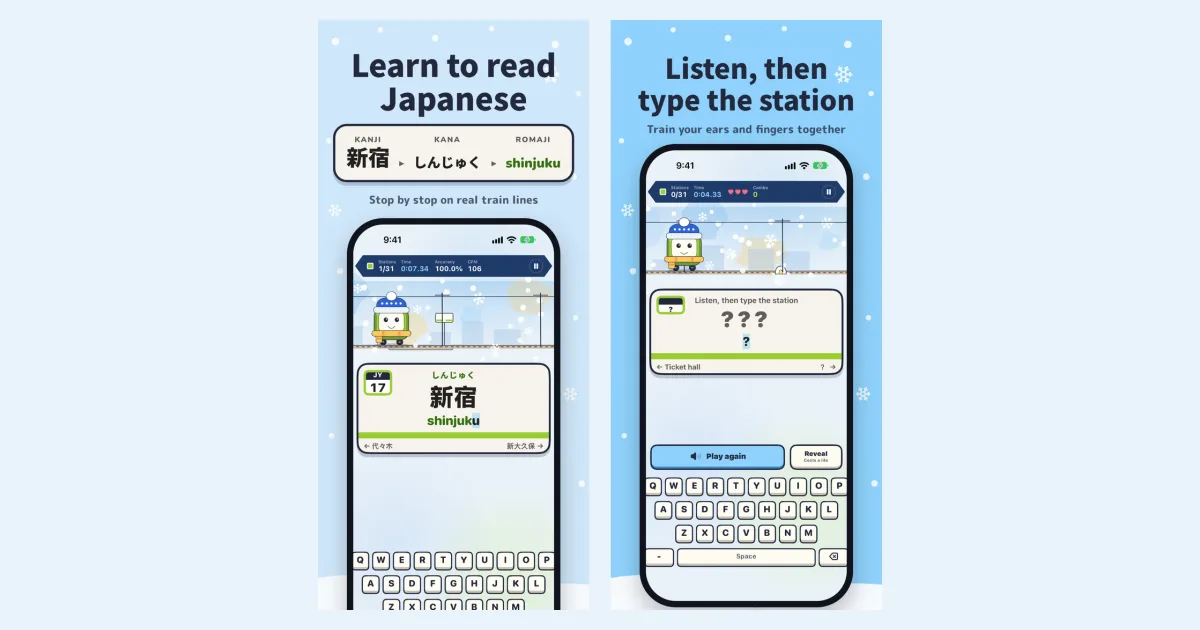
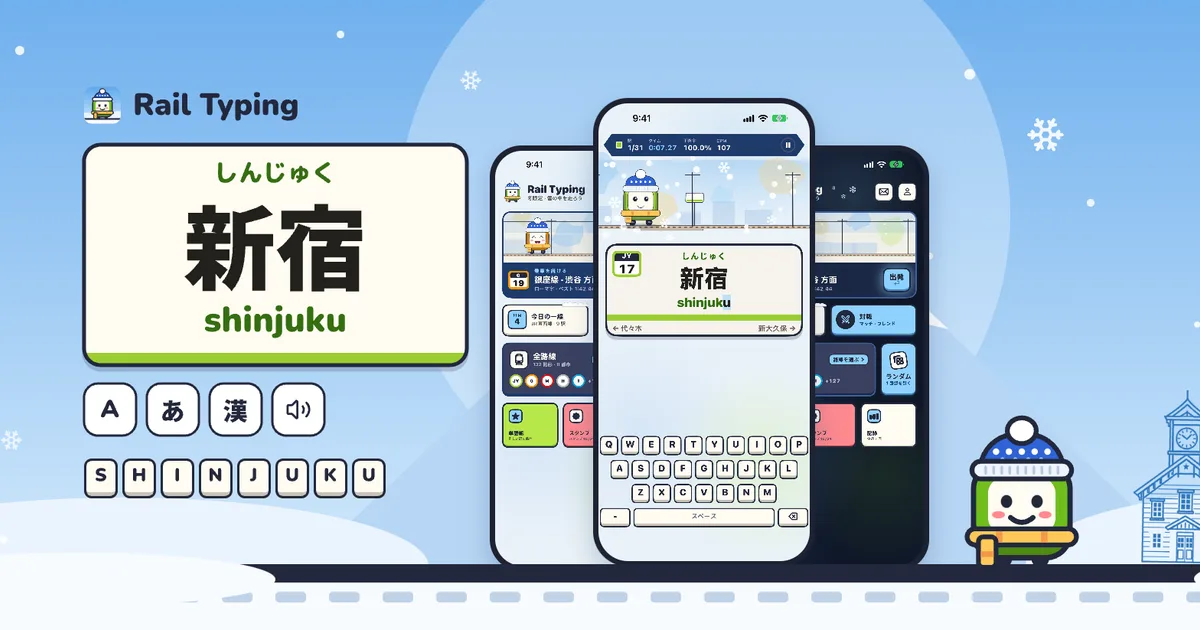
Rail Typing turns real Japanese train lines into reading practice. Each station board shows the kanji, the kana and the romaji — 新宿 → しんじゅく → shinjuku — and you type, tap or listen your way to the next stop. Choice mode teaches the kana with no keyboard, romaji, kana and kanji modes build reading and typing, and listening mode hides the name so you type what a recorded announcer says. A notebook and Review train bring back the stations you miss. It includes routes across Japan and London and does not teach grammar: it is the reading-drill half of the pair. Read the full overview.
LingoDeer — grammar in the right order
LingoDeer was built for Asian languages, and its lessons explain grammar step by step in a fixed order. It suits learners who want to understand why a sentence works, not just repeat it. The free tier covers the alphabet and the first lessons.
Renshuu — the free all-rounder
Renshuu combines vocabulary, grammar and kanji study with spaced-repetition quizzes and a huge amount of free content. It can feel busy at first, but few apps give a beginner this much without paying.
WaniKani — kanji, the long way
WaniKani teaches radicals, then kanji, then vocabulary, each with a mnemonic, on a fixed spaced-repetition schedule. It is built for the long haul and is mainly used on the web or through third-party apps. It assumes you already read kana.
Anki — flashcards you control
Anki is a spaced-repetition flashcard engine with thousands of shared Japanese decks. It is endlessly flexible and free on desktop, Android and the web, with a paid iPhone app. It teaches nothing by itself: you choose, or build, what goes in.
How to combine them
One teaching app plus one drill app covers both halves of what a beginner needs:
- Duolingo or LingoDeer + Rail Typing — learn sentences and grammar in the first, and make kana and kanji reading automatic in the second, with listening on top.
- Renshuu + Rail Typing — an entirely free pairing.
- Add WaniKani or Anki once you can read kana comfortably and want to go deep on kanji.
A first-month plan for complete beginners
| Week | Goal | What to do daily |
|---|---|---|
| 1 | Hiragana | Rail Typing choice mode (hiragana), one Yamanote lap; your main app's first lessons |
| 2 | Katakana | Choice mode (katakana); keep your main app's streak |
| 3 | Reading real words | Rail Typing romaji mode; save hard stations to the notebook |
| 4 | Ears and kanji | Rail Typing listening mode plus a Review train; your main app's next unit |
About 15–20 minutes a day is enough. More on the reading half: how to learn to read Japanese with station names.
Questions people ask
What is the best free app to learn Japanese? Renshuu has the most free content, Duolingo's core course is free, and Rail Typing's Yamanote Line, daily free line and every mode are free. A free pairing of Renshuu or Duolingo with Rail Typing covers lessons and reading.
Which app should I use to learn hiragana and katakana? Any app that makes you recall the kana, not just recognise them. Rail Typing's choice mode asks the kana of real station names one syllable at a time, with the look-alikes (シ/ツ, ソ/ン) as wrong answers; Duolingo and Renshuu both have kana practice too. See our kana chart trainer on the web as well.
Can an app alone make me fluent? No single app will. Apps are best at building habits, reading and vocabulary; speaking and real conversation need practice with people.
Do I need romaji? Only as a bridge. Use it to type and check readings, and move to reading kana directly as soon as you can — Rail Typing's kana and listening modes are built for that step.
Try Rail Typing
Rail Typing is a free iPhone app. Search "Rail Typing" on the App Store or open the App Store page, and ride the Yamanote Line alongside whichever course you pick.