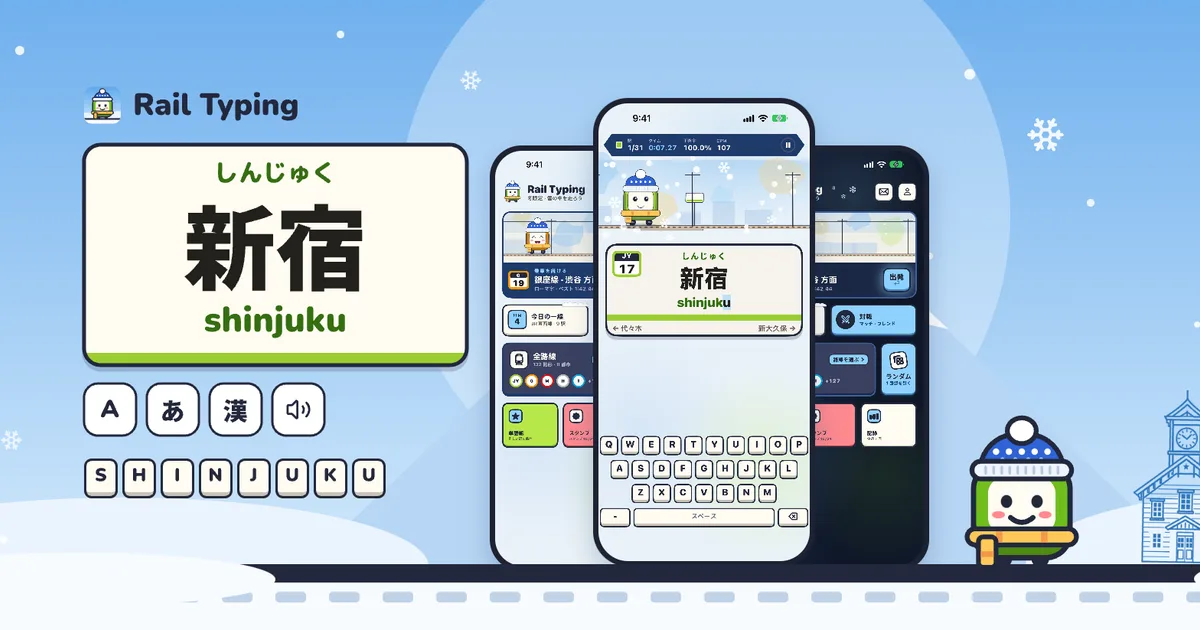
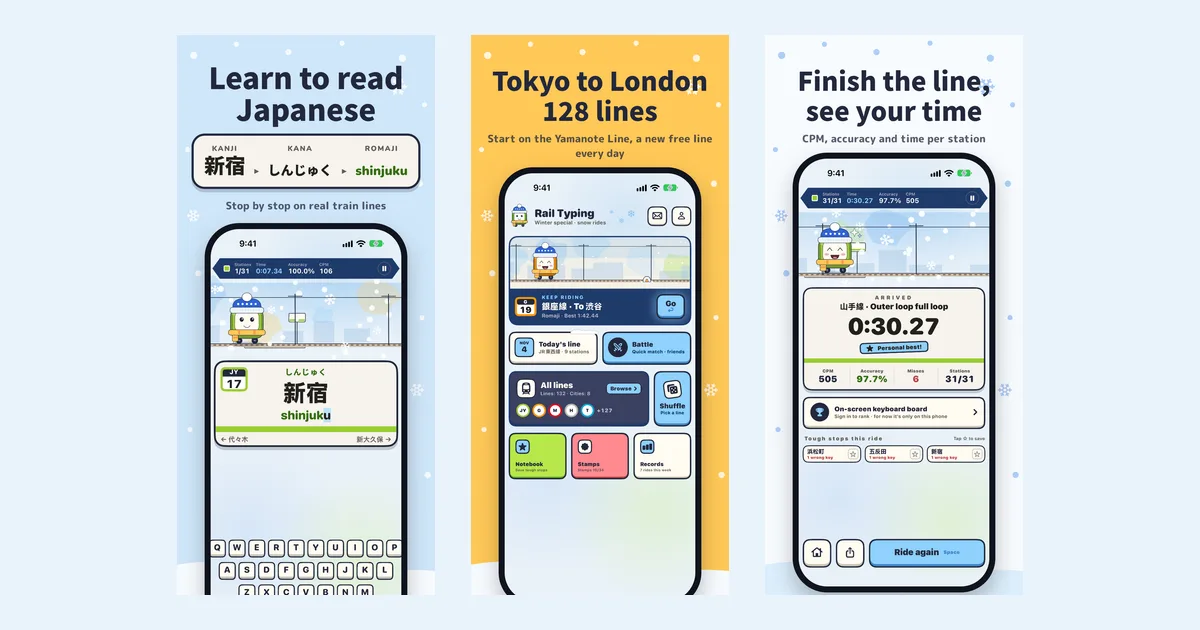
Rail Typing is a free iPhone app for learning to read Japanese with real train station names. You ride a real line stop by stop, and at each station you read its name — 新宿 → しんじゅく → shinjuku — and type it, pick it, or name it from the announcement. It includes routes across Japan and London, runs on iOS 18 or later, and you can get it by searching "Rail Typing" on the App Store.
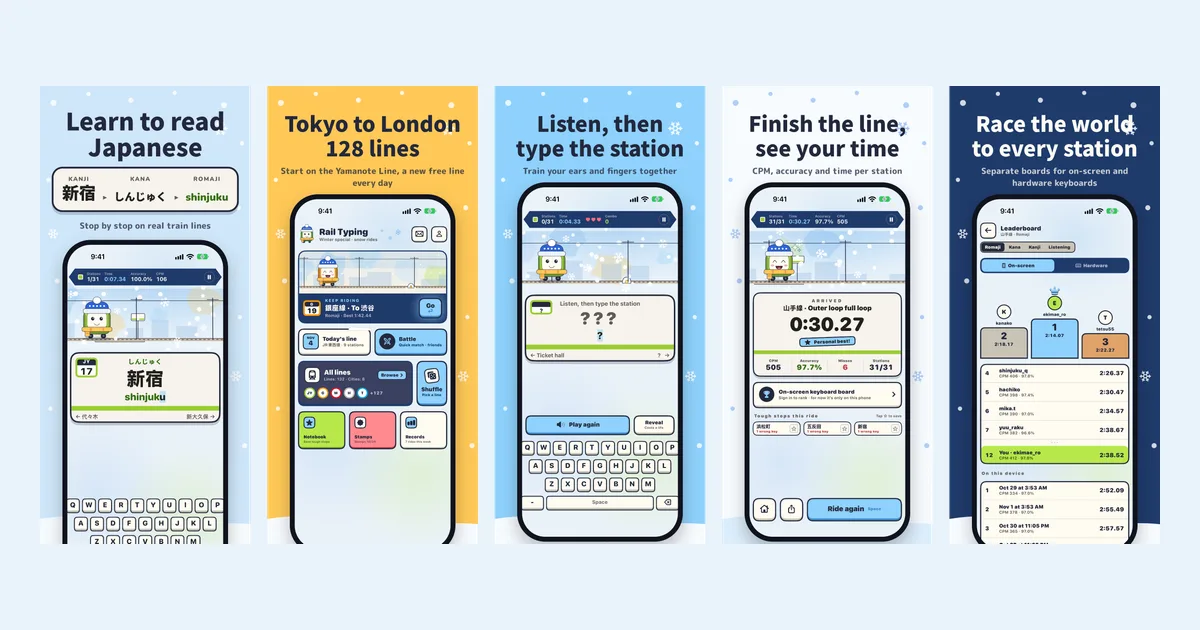
Rail Typing for iPhone at a glance
| What it teaches | Reading Japanese: kanji readings, hiragana, katakana and romaji, plus listening |
| How | Real station names on real train lines, one stop at a time |
| Price | Free to download; the Yamanote Line and every mode are free forever |
| Lines | Routes and station names in Tokyo, Osaka, Kyoto, Nagoya, Fukuoka, Sapporo, Hakodate and London |
| Ways to play | Romaji, kana, kanji, listening, choice (no keyboard) and English |
| Device | iPhone (and iPad) on iOS 18 or later; hardware keyboards work |
| Languages | English, 日本語, 简体中文, 繁體中文, 한국어 |
| Where | App Store, every region including mainland China |
How a ride works
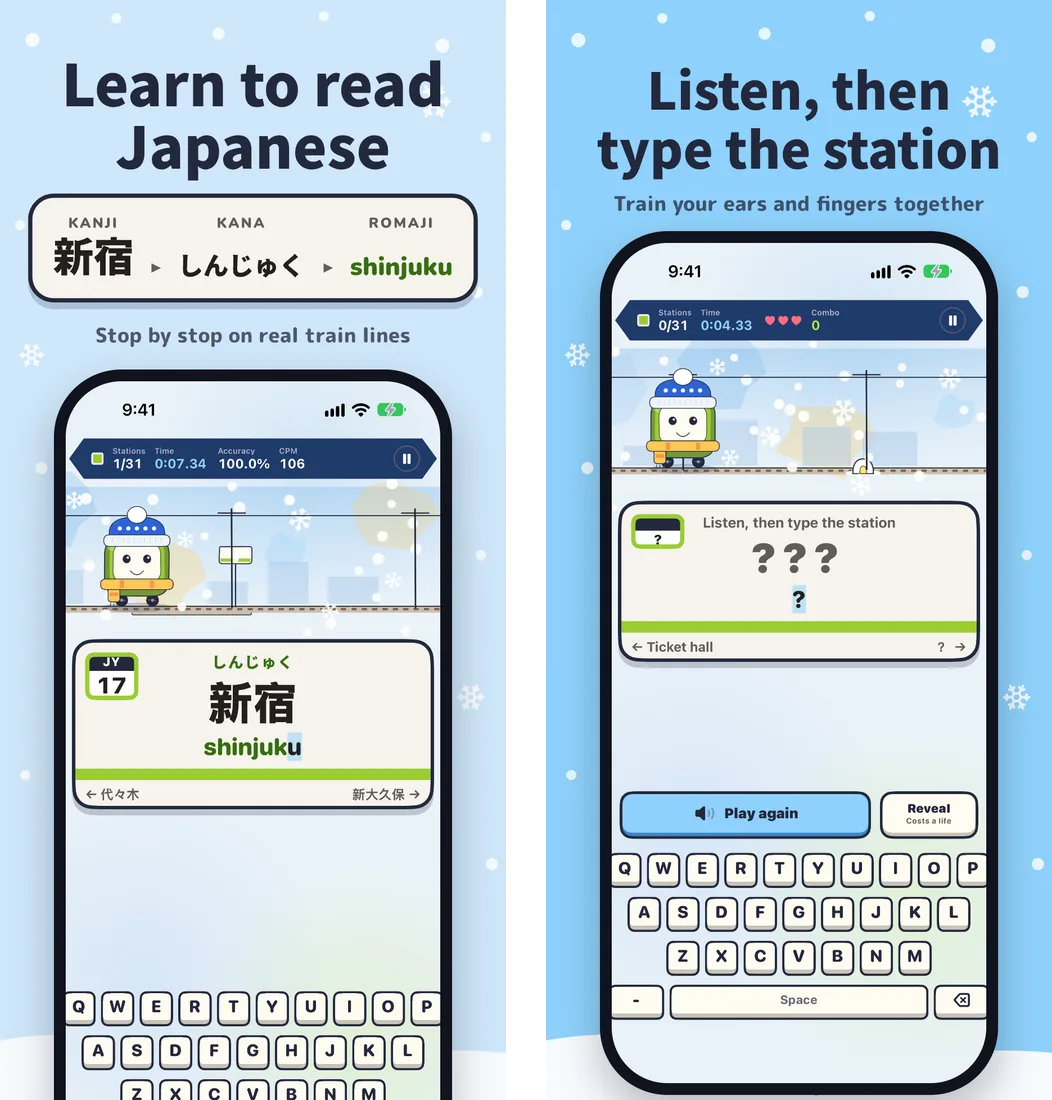
Pick a line and a starting station, and the Key Train pulls out. The station board shows the next stop the way it looks on a real platform: the kanji in large type, the kana reading above it, and the romaji below. Type the reading and the train rolls into the station; the next board appears straight away.
That one screen is the whole idea. You see 新宿, you see that it is read しんじゅく, and your fingers spell out shinjuku. Ride to the end of the Yamanote Line and you have read 30 real place names — names you will see on signs the day you land in Tokyo.
Six ways to play, from first kana to fluent
Every mode is free, and you can switch any time:
- Choice — no keyboard at all. The name is asked one syllable at a time and you tap the right answer: see シ and pick
shifromshi / chi / tsu / ji, or seetsuand pick ツ. Beginner and standard give four options, hard gives six, and there is a listening version too. It is the gentlest way to start if you are still learning the kana chart. - Romaji — type the station in romaji. Hepburn and Kunrei spellings (
shi/si,tsu/tu) are both accepted. - Kana — still typed on a romaji keyboard, but the board fills in hiragana as you go, so you practise spelling in kana.
- Kanji — type with the iOS Japanese keyboard and convert to the real kanji, like a native speaker would.
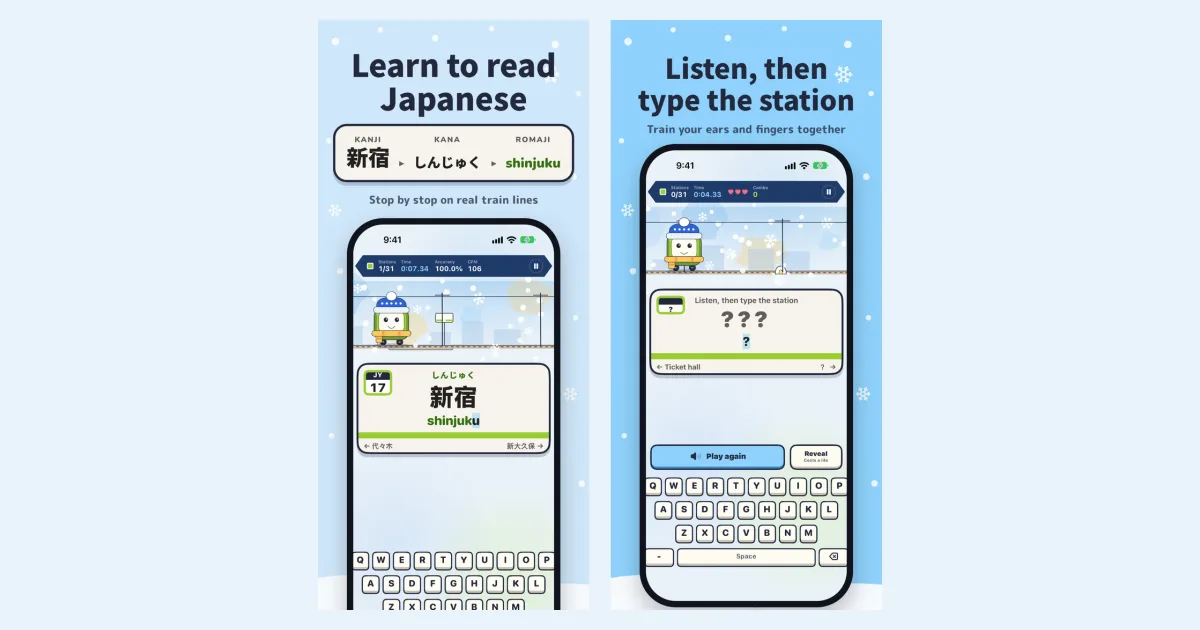
- Listening — the name is hidden. A recorded Japanese announcer reads the station and you type what you heard. You have three lives; a reveal costs one, and a streak of clean stations speeds the announcer up from ×1.0 to ×1.15, ×1.3 and ×1.5.
- English — London lines are typed as their own English names.
If you are not sure which to choose, start with choice or romaji and move one step right when a line feels easy. We wrote a full plan for that in how to learn to read Japanese with station names.
Real routes across Japan and London
The app includes subway, JR, private-railway and tram routes across Japan, plus London Underground lines. The app and website have independent catalogs; see the nationwide app collection for the iPhone expansion and the website line directory for the current web selection. Every Japanese station has its own recorded announcement. Clips download per line the first time you play it in listening mode, then work offline.
Built to make you come back
Reading sticks through repetition, so the app gives you reasons to ride again:
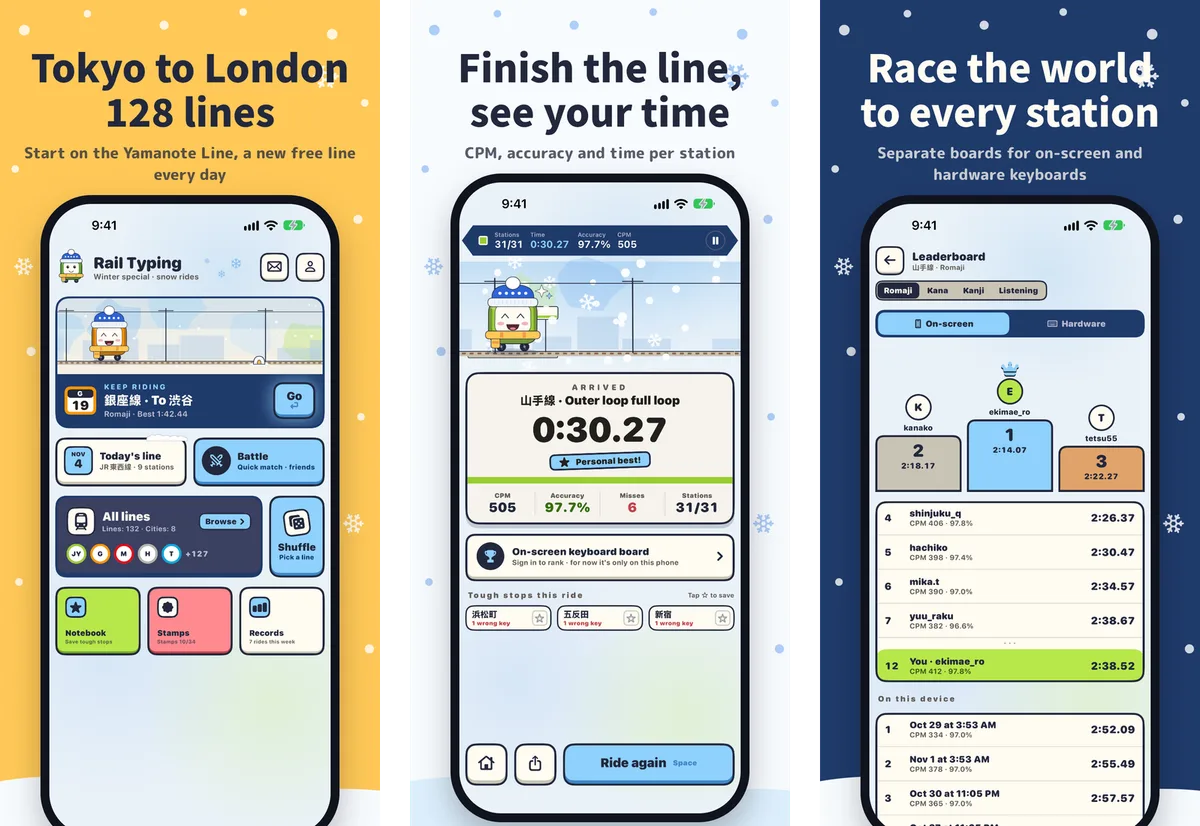
- Today's line — a different line is free every day, so free players see new stations daily.
- Notebook and Review train — tap ☆ on any station you cannot read. After each ride the toughest stops are listed so you can save them in one tap. The Review train shuffles your saved stations into a ride of their own, in any mode; three clean passes in a row and a station graduates.
- Station stamps — collect a stamp as you finish lines and keep streaks.
- Battles, friend rooms and ghost races — race players around the world, share a room code with a friend, or chase your own best run.
- Leaderboards for every line, with separate boards for the on-screen keyboard and hardware keyboards.
- A Home Screen widget and daily reminders.
What is free and what the pass unlocks
The Yamanote Line is free forever, Today's line is free each day, and every mode — listening included — is free on both. Any other line can be tried for its first three stations. The All-lines pass unlocks every line, including new cities as they are added, and comes as monthly, yearly (with a free trial for new subscribers) or a one-time purchase. Purchases belong to your Apple ID, so you never need an account to buy or restore; signing in with Apple is only for leaderboard names and syncing.
Questions people ask
Is Rail Typing free? Yes. Downloading is free, and the Yamanote Line, the daily free line and all six modes cost nothing. Only the extra lines need the All-lines pass.
Do I need to know Japanese already? No. Choice mode needs no keyboard and teaches kana one syllable at a time, and every board shows the kana and romaji under the kanji.
Is it a typing game or a Japanese app? Both, but typing is the method, not the goal. The goal is reading: by the time you can type a station without looking at the romaji, you can read it.
Does it work on iPad or with a keyboard? Yes. It runs on iPad, and a Bluetooth or Magic Keyboard works in every typing mode, with its own leaderboard.
Is there an Android version? Not yet. On Android or a computer, the Rail Typing website plays in the browser. See iPhone app vs website for the differences.
Get Rail Typing
Rail Typing is a free iPhone app. Search "Rail Typing" on the App Store, or open the App Store page directly — then board the Yamanote Line and read your first 30 stations today. More about the app is on the Rail Typing for iPhone page.