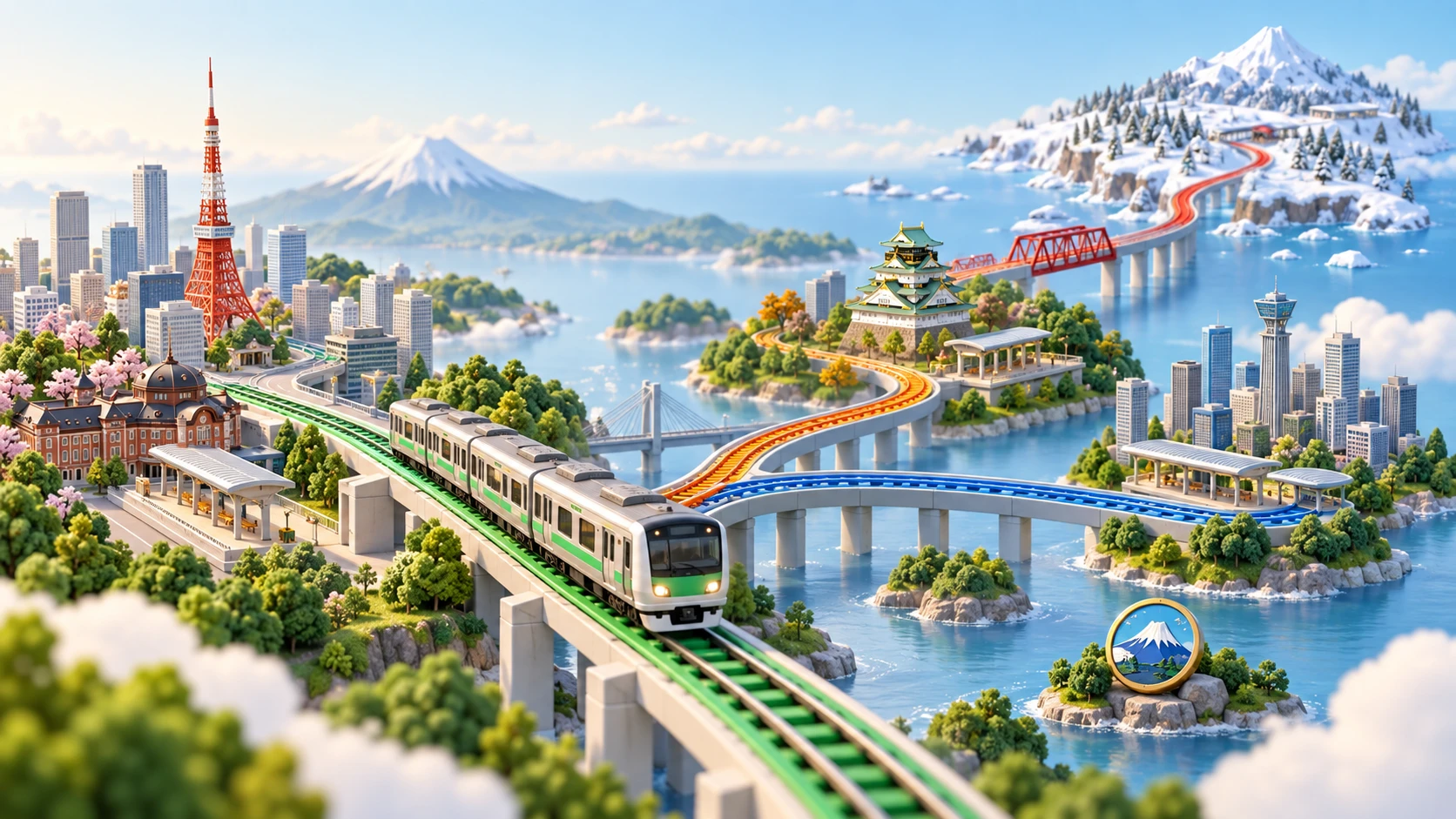
Tokyo feels different when the railway runs through a city you can recognize. Rail Typing’s new illustrated map adds soft green parks, pale blue rivers and miniature buildings to your station-name typing game. It is an optional Pro feature for the Yamanote and Ginza lines, built around a shared collection of 50 Tokyo landmarks.
A softer view of Tokyo
The map uses a lightly textured, pastel background. White roads cross the city, small trees fill its parks, and buildings are drawn with a few distinctive shapes: the slender Tokyo Skytree, the red roofs of Senso-ji, the broad roof of Ryogoku Kokugikan. The railway keeps its familiar line color, so the route remains easy to follow among the scenery.
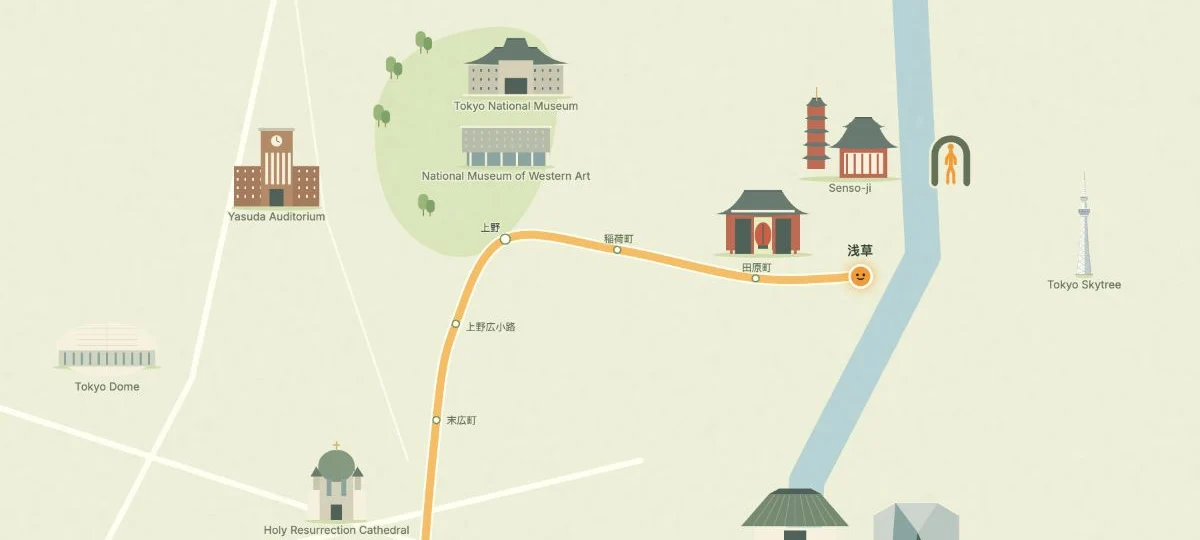
An actual railtyping.com game view, cropped around Asakusa and Ueno. Landmark labels in this screenshot use the English interface.
As you type station names, the journey moves through this illustrated setting. Your input mode, scoring and game rules stay the same. You can still practice romaji, kana or kanji; the new map changes the scenery around that practice.
How to turn on the illustrated map
- Open the Yamanote Line setup or Ginza Line setup.
- Sign in to an account with active Pro access.
- Find Illustrated map · PRO in Your journey, just above the route preview, and turn it on.
- Check the pastel preview, choose your direction and input mode, then start the game.
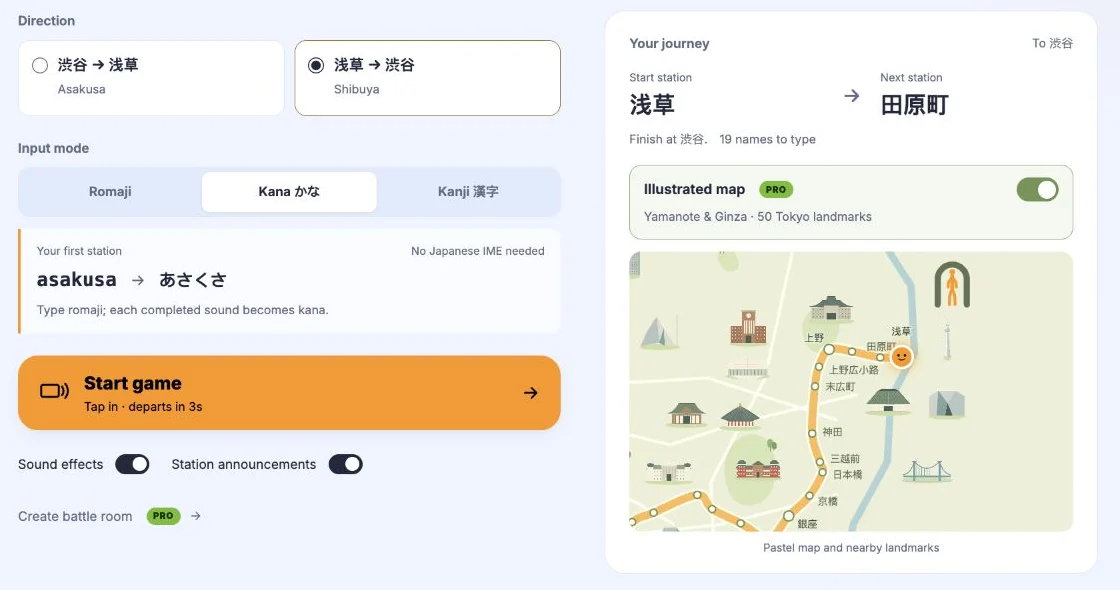
The switch gives a brief glow and sparkle when enabled. The setting is remembered in the current browser, so you do not need to enable it before every supported journey. Turn it off on the setup page whenever you want the standard map again.
Yamanote or Ginza: where should you start?
The Yamanote Line is a good choice for a loop around Tokyo. Its green route connects familiar names such as Shibuya, Shinjuku, Ueno and Tokyo. Try it when you want a longer trip through different parts of the city.
The Ginza Line follows an orange route between Shibuya and Asakusa. Starting at Asakusa gives you the riverside scene shown above, with Skytree across the river and the Ueno museums nearby. Its 19-station journey is an easy way to try the new style.
Both lines use the same Tokyo setting, with the visible area following the journey. Other lines continue to use their existing maps.
What does “50 landmarks” include?
The shared map collection includes towers, temples, station buildings, museums and entertainment venues: Tokyo Tower, Tokyo Skytree, Senso-ji, Tokyo Station, Tokyo Dome and more. They provide recognizable points around the railway, rather than extra typing targets.
The number refers to the full collection, not 50 buildings visible in every frame. What you see depends on the area, zoom and available space around the track and station labels. Buildings are simplified and their placement is illustrative; this is a game map, not a walking or transit-navigation map.
Do I need Pro to play?
The standard map and the complete typing game remain free. Pro is required only to enable this illustrated map style. If you click the switch without Pro access, a dialog explains the feature and links to the Pro plans. You can close it and keep playing with the standard map.
For now, the illustrated map is available on Yamanote and Ginza only, not every Tokyo line or a custom planned route. If the switch is missing, first check which line you have selected. If you already have Pro but see the upgrade prompt, check that you are signed in to the account with that access.
Ready to see the city around the stations? Start a Ginza Line journey, or take a lap on the Yamanote Line.