Rail Typing can now do more than move your train along a real railway line. When you arrive, it can say the current station name aloud in Japanese. The new station announcement feature covers nearly 800 distinct names in the game, adding a little of the sound of a Japanese train journey to every completed entry.
How to turn station announcements on
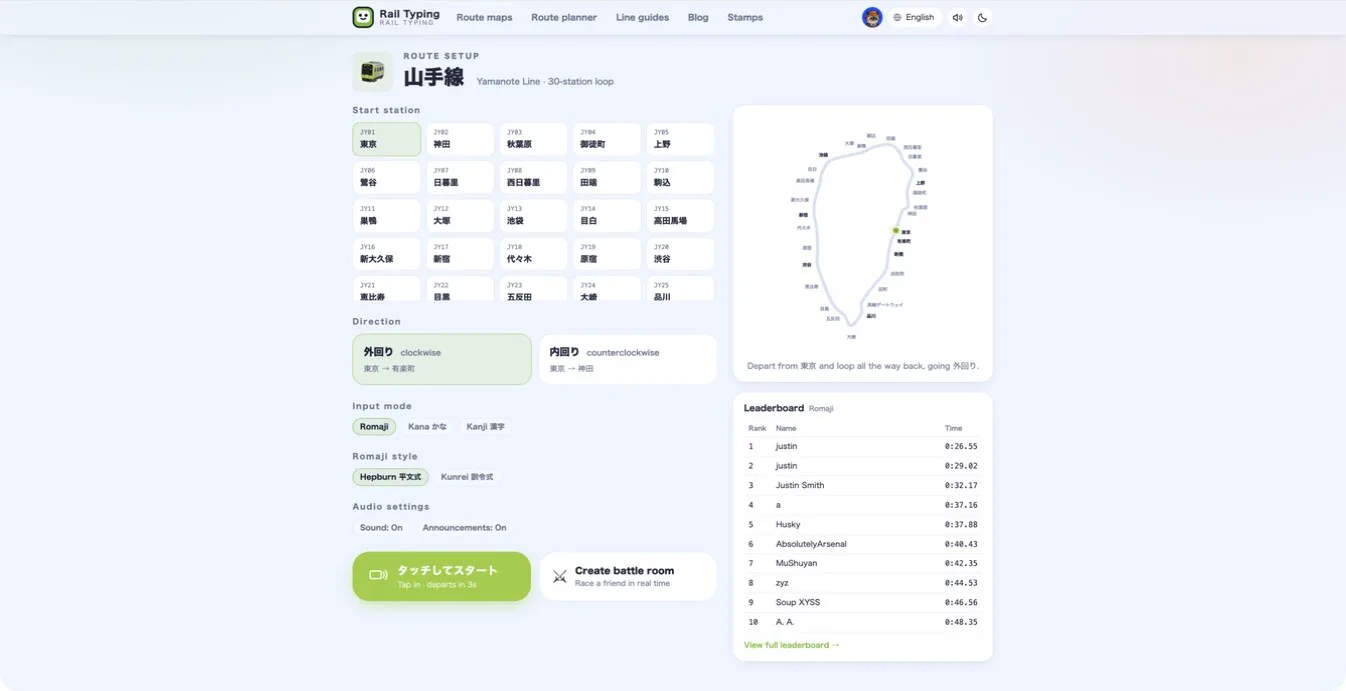
Open the setup page for any line, find Audio settings, and switch Announcements to On. Then choose your start station, direction and input mode as usual. A short tip introduces the button the first time you see it; once you interact with the control, the tip stays out of your way.
Sound effects and announcements are separate controls. You can keep key taps and arrival sounds while muting the voice, or enable both. The same preference is available in the route planner and is remembered in your current browser.
When does the announcement play?
The announcement plays when you finish typing the next name and the train actually reaches that station. At the same moment, the station name beside the route grows, changes color and remains highlighted while the train is stopped. It returns to its normal style only after the train leaves for the next stop.
There is no dialog to dismiss and no requirement to wait for the recording to finish. The next station becomes available immediately, so you can keep typing at your own pace. For leaderboard runners, the voice is optional feedback—not a cutscene inserted into the race.
Why the announcement says only the station name
We deliberately kept each clip short. A full railway announcement might include the destination, transfers, door side and safety guidance. That would take longer and could overlap the next arrival during a fast run. Saying only the current station gives you a clear cue without breaking the rhythm of the typing game.
The audio is generated from the Japanese readings stored in the game data rather than asking a speech system to guess the kanji. Place names that are easy to misread therefore follow their actual kana readings. The delivery aims for the calm, clear and slightly brisk cadence of a modern urban railway announcement.
Add your ears to Japanese typing practice
Romaji mode connects Latin-letter keys with Japanese sounds. Kana mode trains character recognition, while Kanji mode brings real IME conversion into the run. Station announcements add a listening step: immediately after typing a name, you hear how it is read in Japanese.
It is not a replacement for a structured listening course, but it is a useful way to reinforce station names that tend to blur together. Start with a lap of the Yamanote Line and listen to 東京, 新宿, 渋谷 and 品川 form a route. When you want more readings, choose another challenge directly from the route maps.
Announcements are off by default, so the choice is yours. Leave them off for a quiet leaderboard run, or switch them on when you want the next race to feel more like a ride. At every stop, you will hear the city name before setting off again.