Rail Typing's five practice tools have been rebuilt around one idea: practice should feel like the railway you are learning from. The Japanese typing test now reads every station name and train announcement aloud, the kana trainer is laid out as a real kana chart, the romaji table can be searched, the weakness drill shows the route before you ride it, and the keyboard tester tells you at a glance what it is listening for.
All five share one set of tabs, so moving from a speed test to a kana row to the romaji spelling you just fumbled takes a single click. None of them needs an account, and none of them submits a score.
A Japanese typing test that reads every item aloud
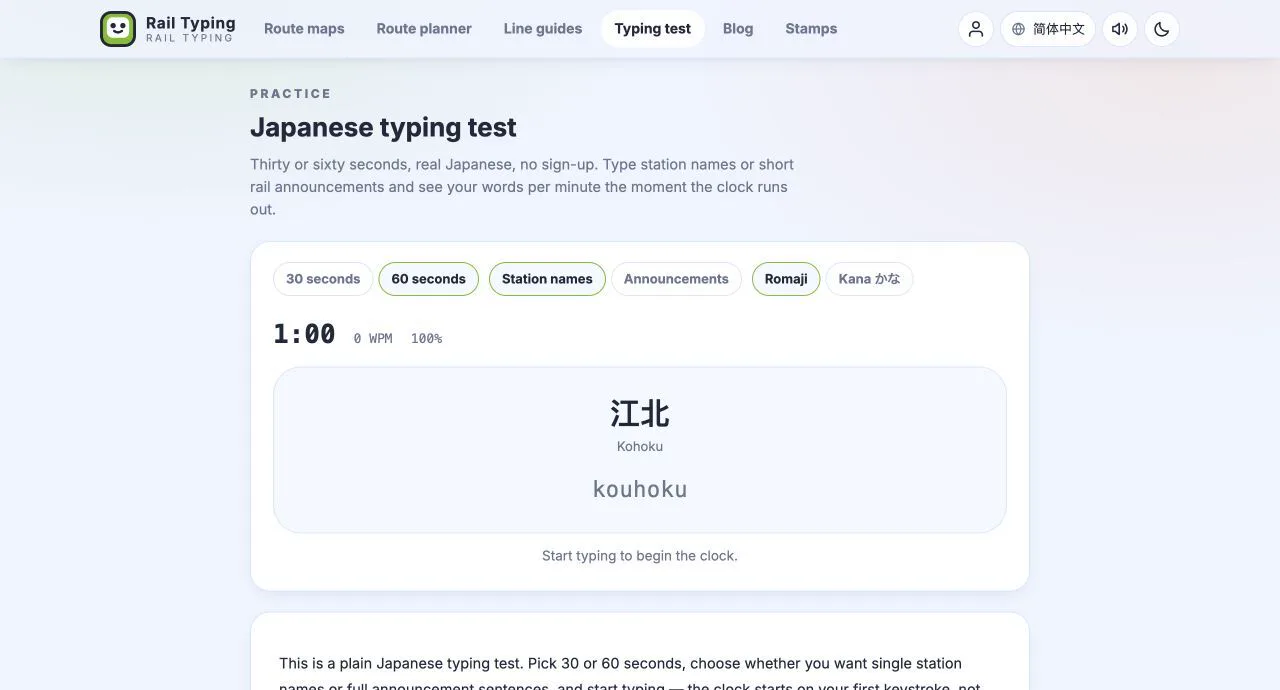
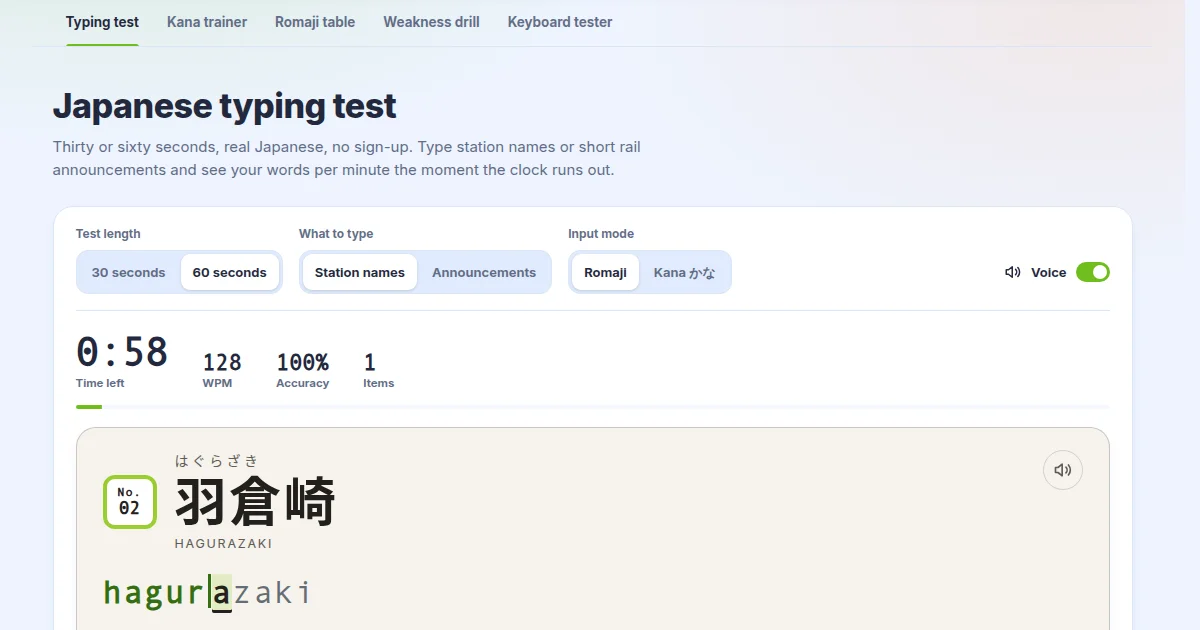
The typing test still measures what it always did — WPM, CPM, accuracy and mistakes over 30 or 60 seconds — but each item now arrives on a station sign, the same paper board the game uses. The station you are typing sits in large type with its kana reading and English name; the band underneath shows the one you just finished and the one coming next, so your eyes can move ahead the way they do on a real platform.
Switch on Voice and every item is read aloud the moment it reaches the board. Station names use the same Japanese announcement voice as the game, and if you have chosen a different voice with Pro, the test uses that one too. The switch is shared with the game's station announcements, so turning it on in one place turns it on in both. Missed what was said? The speaker button on the sign plays it again.
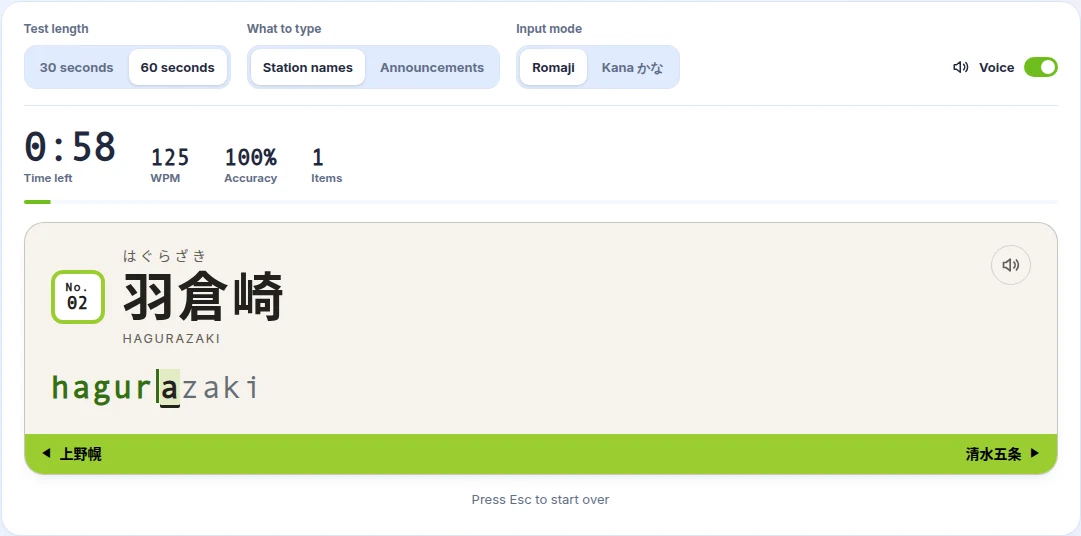
A few smaller changes make the test quicker to live with. Esc starts a fresh test with a new set of words at any point. If you click away, the board dims and a single click brings you back to typing. When the clock runs out, the result shows your WPM large, the rest of your numbers beside it, and the list of everything you typed.
Hear and type real Japanese train announcements
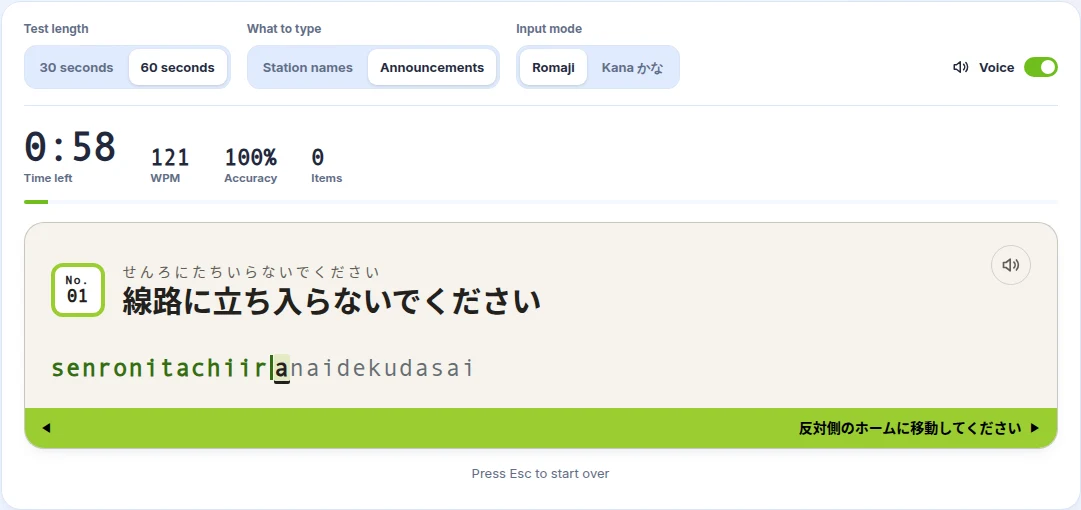
Choose Announcements instead of station names and the test switches to short lines you would hear on a Japanese train or platform: 次は東京です, お出口は右側です, 白線の内側までお下がりください, 駆け込み乗車はおやめください. The set was reworked for this update so that every line is something a railway actually says, and each one now has its own recording in both announcement voices.
Typing a sentence while hearing it spoken is one of the most direct ways to connect Japanese sounds with their spelling. You hear the whole phrase, see it written in kanji and kana, and type it as romaji or kana — a small listening exercise hidden inside a typing test.
Kana typing practice on a real kana chart
The kana typing trainer now lays each set out the way a textbook prints it. The gojūon sits in columns for a, i, u, e and o, with gaps where the chart has them — や, ゆ and よ share a row with two empty cells, and を sits alone under お. The contracted sounds get a ya, yu, yo chart of their own. As you type, finished kana turn green, the current one is outlined, and any kana you fumble keeps a small mark after you move on, so the chart doubles as a review of the set.
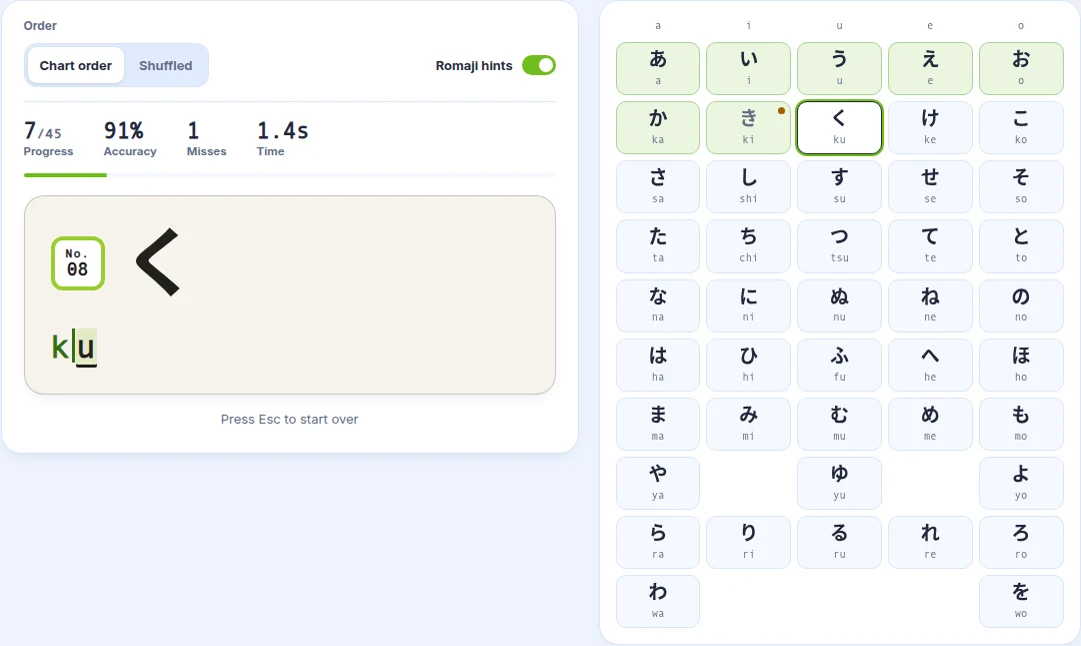
Two new options make a set harder once it feels easy. Shuffled order stops you reciting the chart from memory, and switching Romaji hints off hides each spelling until you have typed it. When a set is done you see your time, accuracy and kana per minute, the kana you missed, and a button straight to the next set.
A searchable romaji table
The romaji input reference is still generated from the game's typing engine, so every spelling it lists is one the game accepts. It is now drawn as charts instead of long tables, and every cell shows three layers at once: the Hepburn spelling in bold, the Kunrei-shiki spelling where it differs, and any other accepted spellings in small type. A legend at the top explains a cell using a real example.
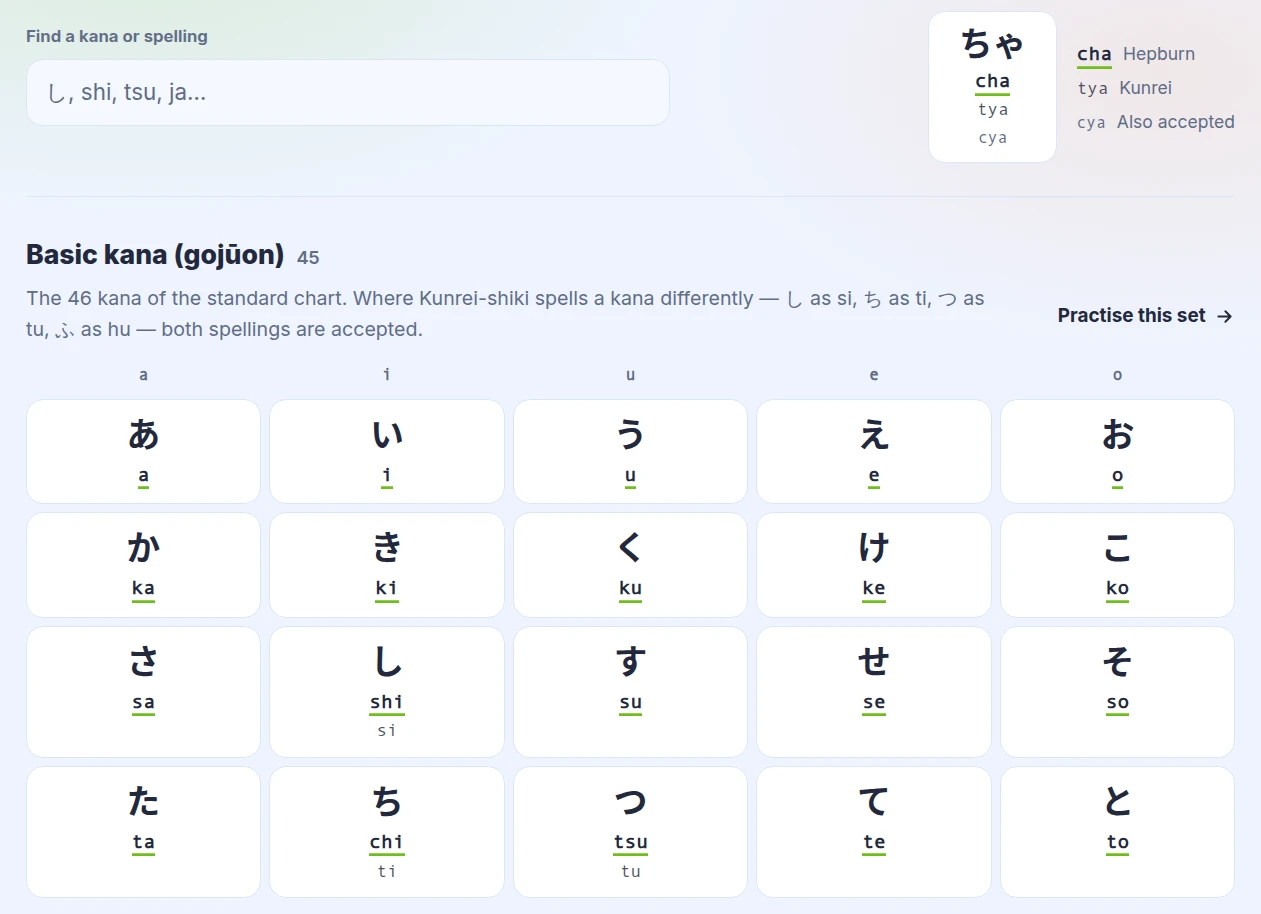
The new search box finds a kana or a spelling as you type. Enter shi to find し, or type シ in katakana and the table finds し along with しゃ, しゅ and しょ. Each set also has a Practise this set link that opens the kana trainer on exactly that row, so looking up a spelling and drilling it are one click apart. The rules for small っ, ん and the long-vowel mark follow in their own cards with worked examples.
Weakness drill: see the route before you ride it
The weakness drill builds a practice route from stations whose names are dense in the kana you miss most. It now shows its reasoning: your weakest kana are ranked with a bar for each, alongside how many runs and stations the estimate is based on. Next to them, the route itself is drawn as a strip of numbered stops, each tagged with the weak kana it exercises.
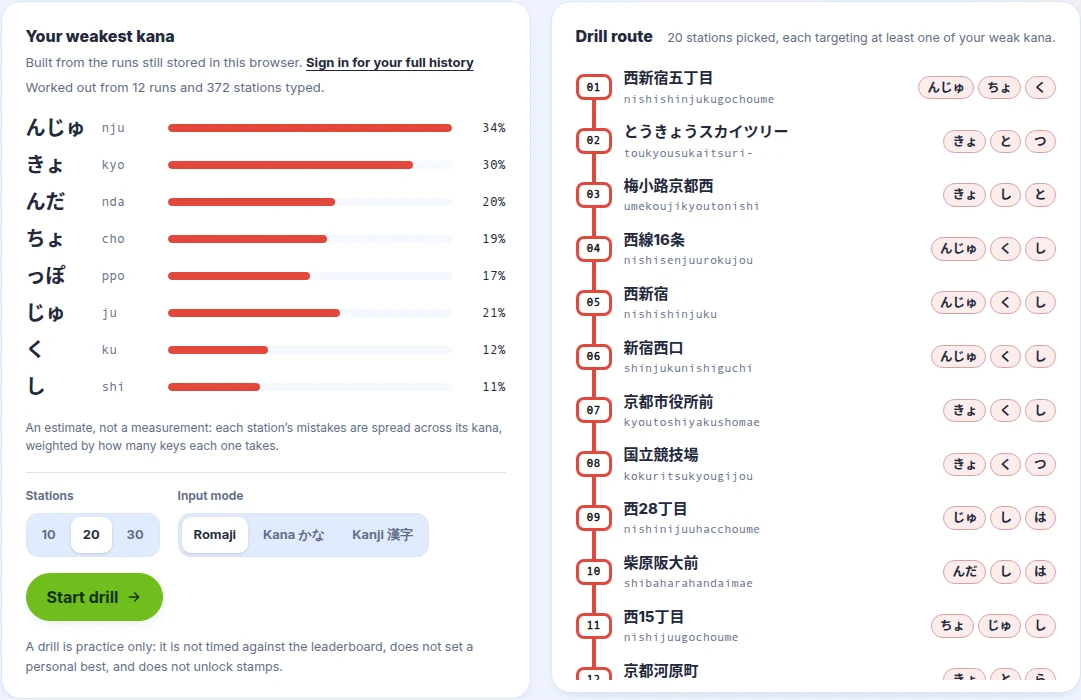
If you have not played enough yet, the page explains the three steps that get you there instead of showing an empty box. A drill is still practice only: it does not touch the leaderboard, your personal bests or your stamps.
Keyboard tester for US and Japanese layouts
The keyboard tester checks every key on an Apple Magic Keyboard, in US (ANSI) or Japanese (JIS) layout, with or without the numeric keypad. It now says clearly whether it is listening, shows how much of the keyboard you have covered with a progress bar, and explains its colours with a legend: not tested yet, tested, pressed, possibly stuck, and keys the browser can never see.
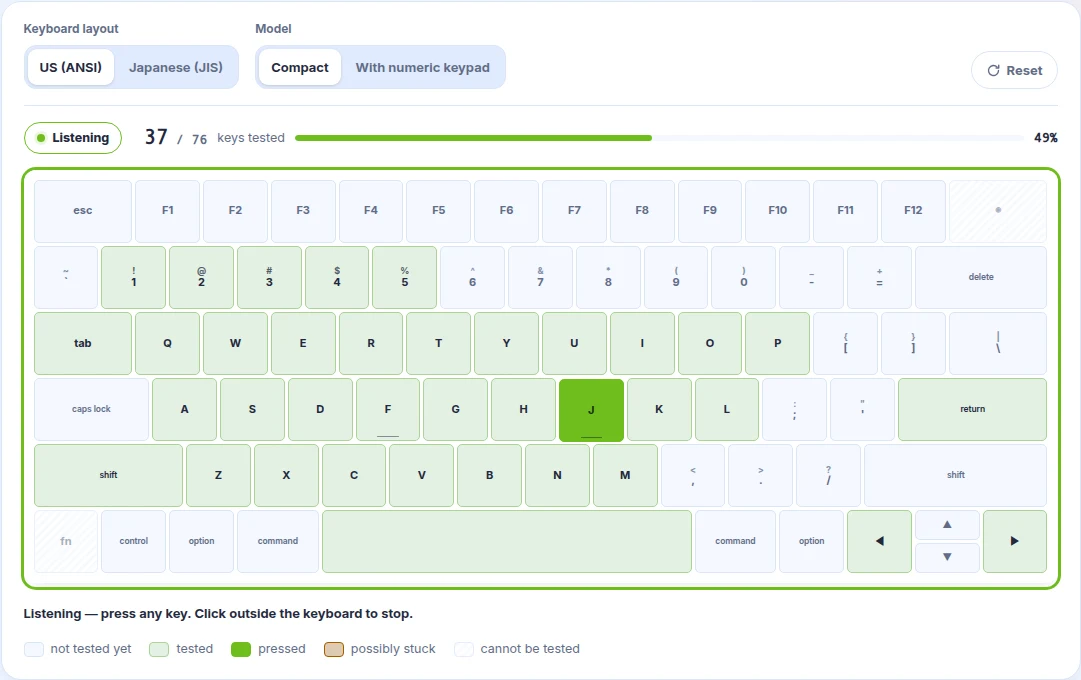
Click the keyboard to start, then press away. The last key's raw browser event and a short list of things worth knowing — shortcuts the system keeps for itself, why caps lock stays lit — sit side by side underneath.
Try the new practice tools
- Measure your speed with the Japanese typing test, then switch on Voice.
- Work through one set at a time in the kana typing trainer.
- Look up any spelling in the romaji table.
- Build a route from your mistakes in the weakness drill.
- Check your keys with the keyboard tester.
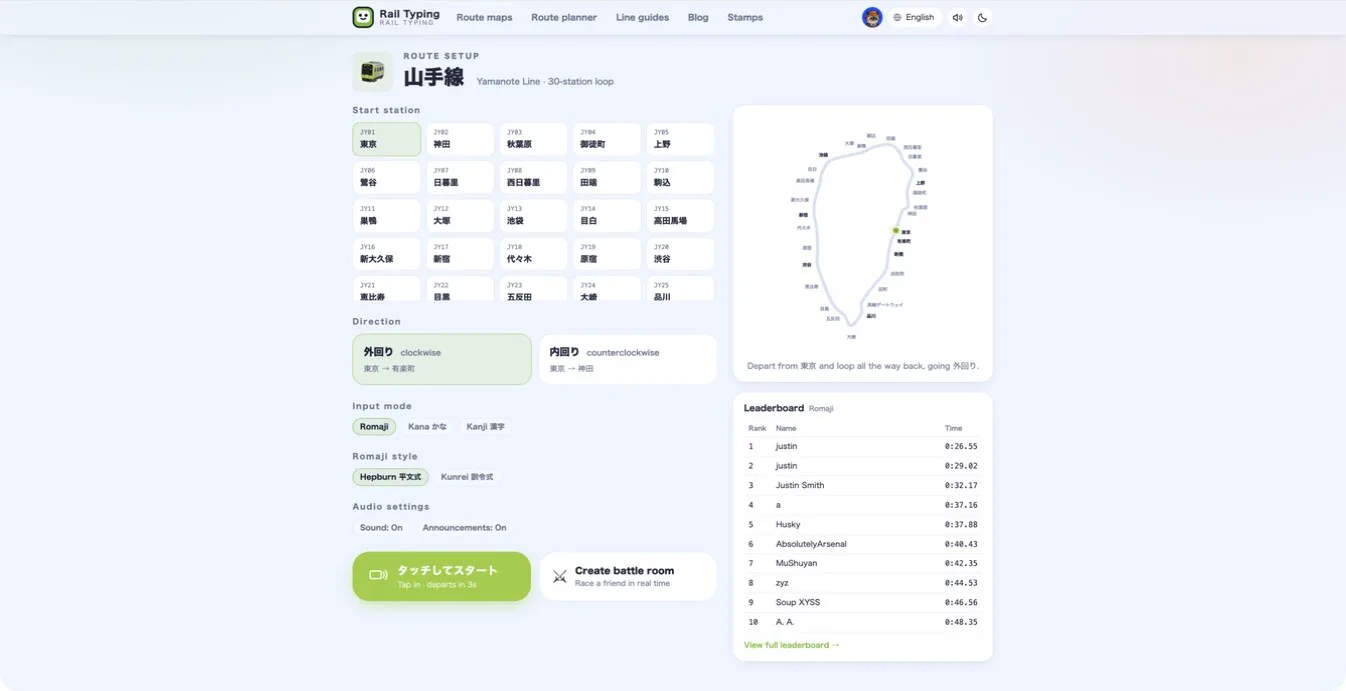
When you are ready for the real thing, play the Yamanote Line and type your way around Tokyo.