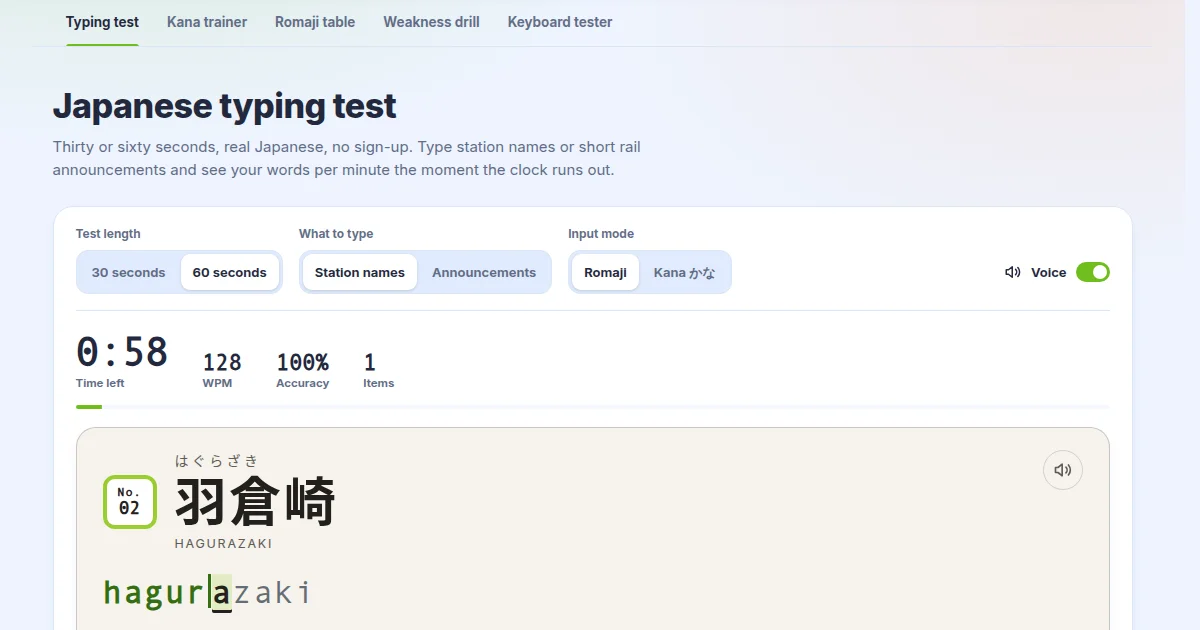
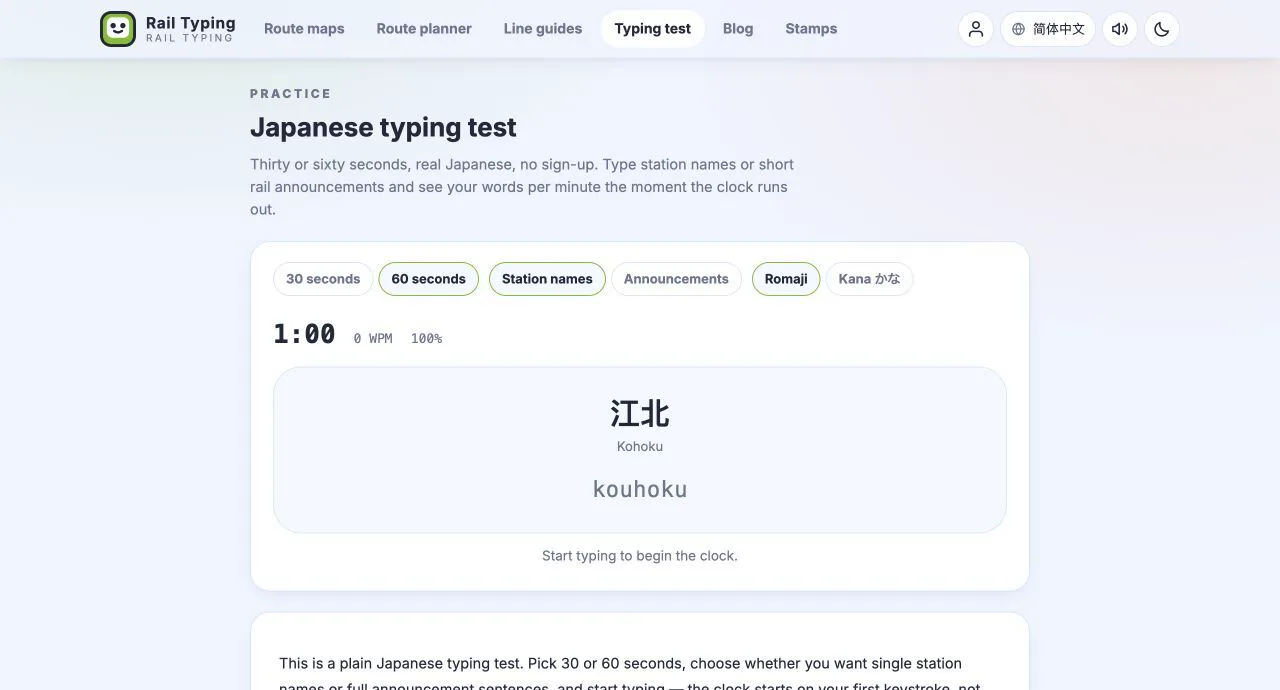
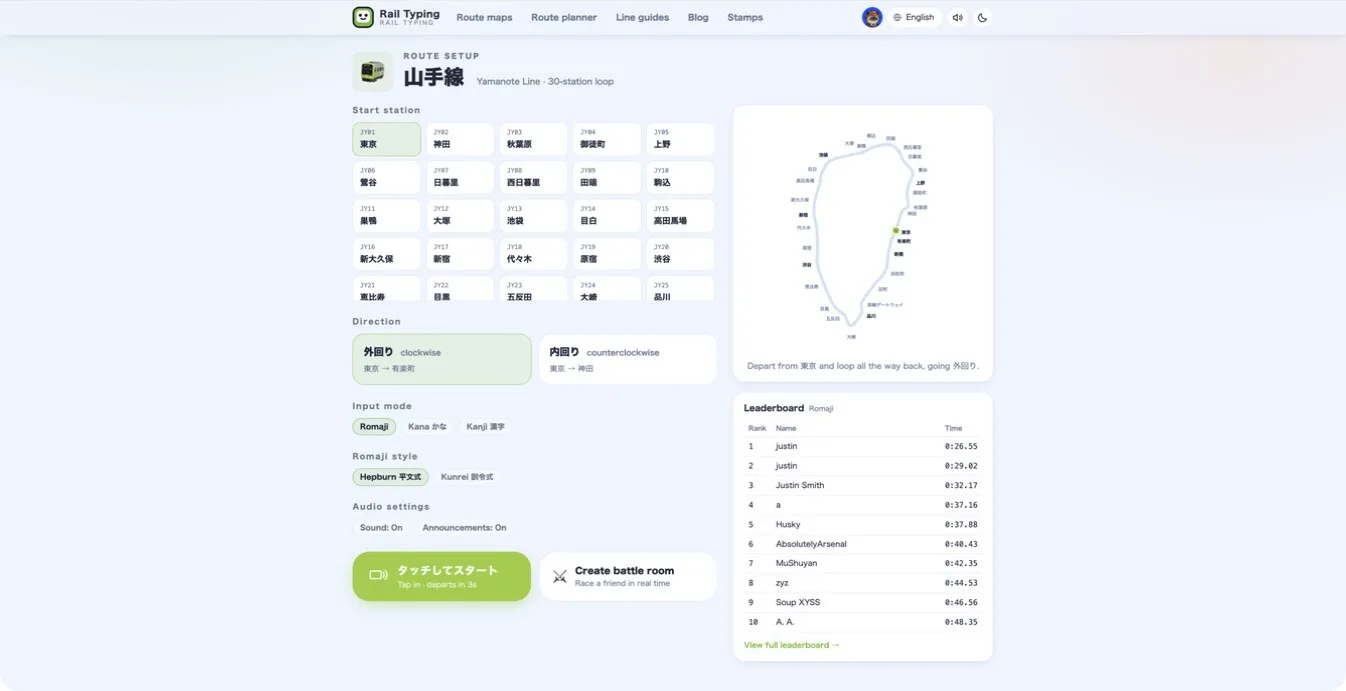
Sushida (寿司打) and Rail Typing are both free Japanese typing games, built for different things. Sushida is a browser game for fast romaji typing on a computer: you type the words on passing sushi plates against the clock. Rail Typing has you type real train station names one stop at a time, in romaji, kana, kanji or by ear, on iPhone and on the web. Pick Sushida for quick speed tests at a PC. Pick Rail Typing to learn to read as well as type, or to practise on a phone.
Disclosure: we make Rail Typing. Sushida details were checked in November 2026; see sushida.net for the current version.
Side by side
| Sushida (寿司打) | Rail Typing | |
|---|---|---|
| What you type | Japanese words and phrases on sushi plates | Real station names along a real line |
| Input | Romaji | Romaji, kana, kanji (IME), listening; English on London lines |
| How a round works | Courses priced ¥3,000, ¥5,000 and ¥10,000; earn more than the price to clear it | A ride from station to station, to the end of the line or a full loop |
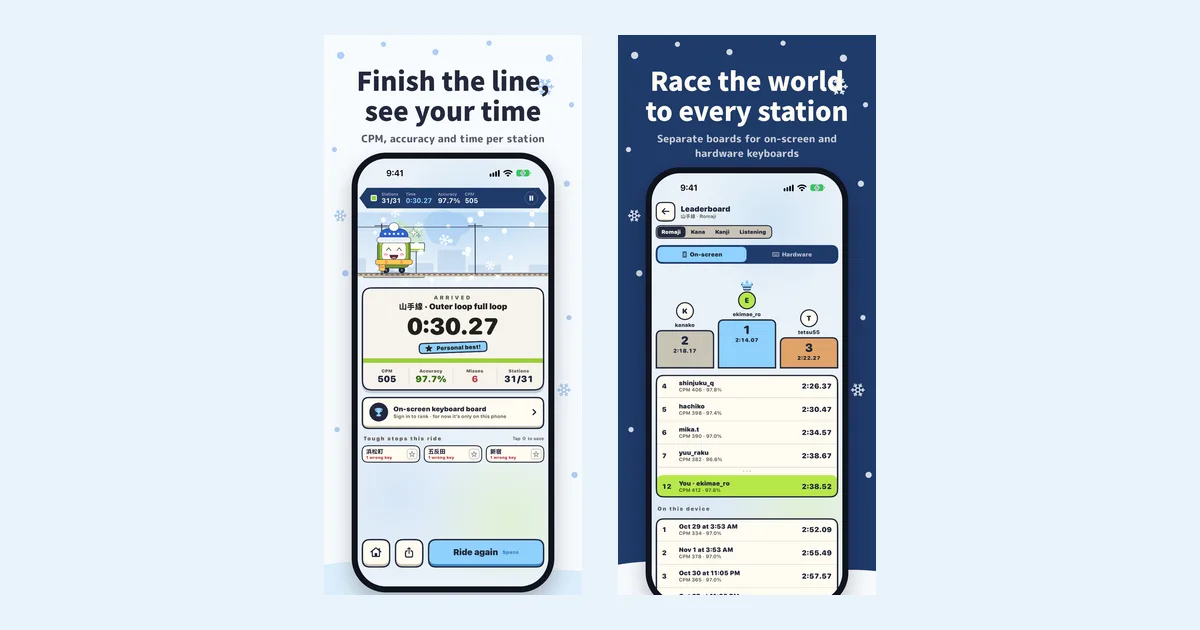
| Score | Yen earned, plus typing stats | Time, CPM, accuracy and per-station splits |
| Where | PC browser, no sign-up | iPhone and iPad app; a separate website in any browser |
| Competition | Score against the course price | Leaderboards for every line and mode, battles, ghost races |
| Learning features | — | Kana and romaji under every name, choice mode, notebook and Review train |
| Price | Free | Free: Yamanote Line, a daily free line, every mode; optional All-lines pass |
When Sushida is the better pick
- You want a quick speed check at a PC. Open the page, pick a course and you know where you stand within minutes. Its three courses — お手軽 (¥3,000), お勧め (¥5,000) and 高級 (¥10,000) — are a common yardstick for romaji typing speed in Japan.
- You only type romaji. It focuses on one thing and does it well.
- No install, no account. It runs in the browser.
When Rail Typing is the better pick
- You also want to read. Every station board shows the kanji with its kana and romaji — 新宿 → しんじゅく → shinjuku — so you learn place names while you type. That matters if you are learning Japanese, and it helps with 難読駅名 even for native speakers.
- You want more than romaji. Kana mode spells in hiragana, kanji mode uses the real Japanese IME, and listening mode hides the name so you type what a recorded announcer says.
- You practise on a phone. The iPhone app is built for touch, with a choice mode that needs no keyboard at all, and it works with Bluetooth keyboards, on a separate leaderboard.
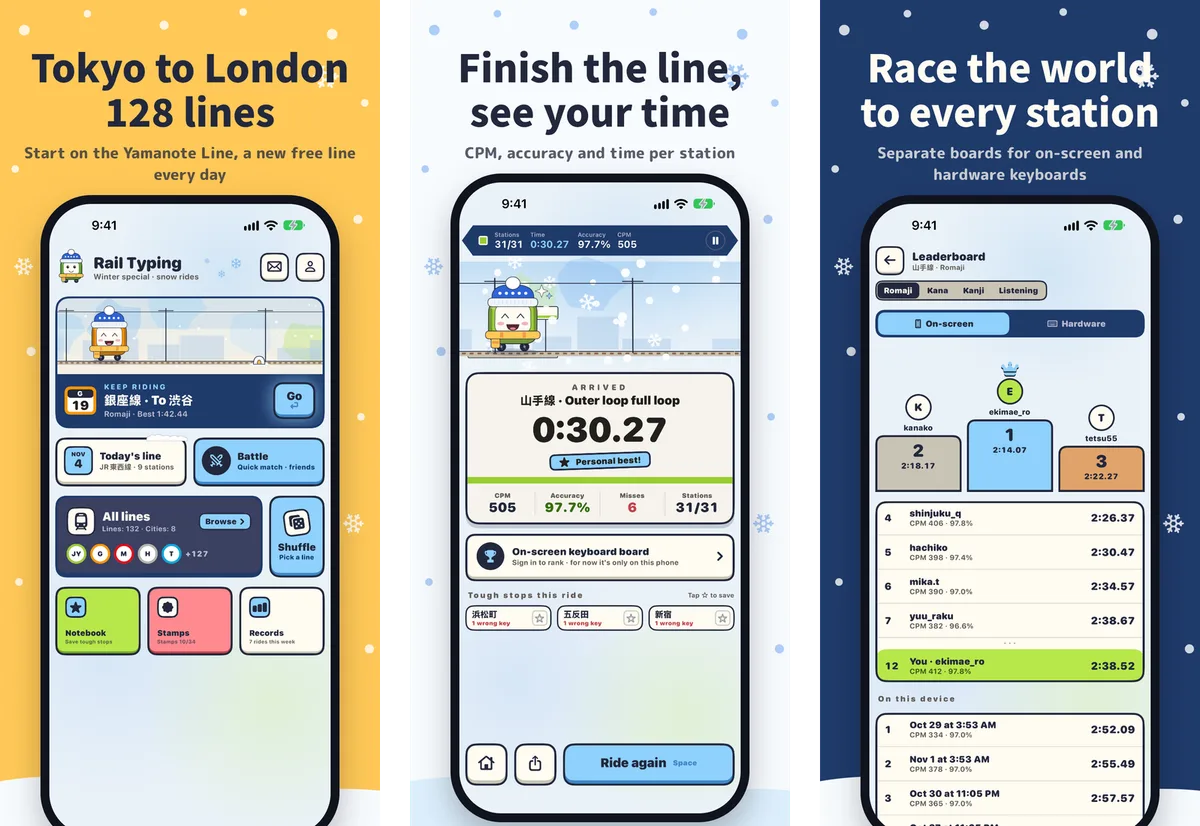
- You like long-term goals. 128 lines in 8 cities, per-line leaderboards, a daily free line, station stamps, battles and ghost races of your own best run.
Use both
They fit together well. Sushida is a sharp speed test; Rail Typing is daily practice with a purpose. A good routine is one Sushida course to warm up at your desk, and a Rail Typing ride on your phone on the way home. If you want Rail Typing at your desk too, the Rail Typing website plays in the browser — see app vs website.
Tips that work in both
- Long vowels follow the kana. 東京 is とうきょう, typed
toukyou. - っ doubles the next consonant. 日暮里 is にっぽり,
nippori. - Type ん as
nnbefore a vowel or y. 新大久保 isshinnookubo. - Do not fix typos with backspace in Rail Typing — a wrong key is just rejected, so keep typing the right one.
More in our Hepburn romaji cheat sheet and how to improve your typing speed.
Questions people ask
Is Rail Typing like Sushida? Both are free Japanese typing games scored on speed and accuracy. Sushida has you type words from sushi plates in a browser; Rail Typing has you type station names along a real line, with more input modes and a reading focus.
Can I play Sushida on a phone? It is designed for a PC browser and keyboard. For typing practice made for the iPhone, Rail Typing is built for touch.
Which one improves typing speed faster? Short, frequent practice matters more than the game. Sushida suits quick timed bursts; Rail Typing suits a daily ride with stats for every station, so you can see which names slow you down.
Is Rail Typing free? Yes. The Yamanote Line, a daily free line and every mode are free; the All-lines pass adds the other lines.
Get Rail Typing
Rail Typing is a free iPhone app. Search "Rail Typing" on the App Store or open the App Store page.