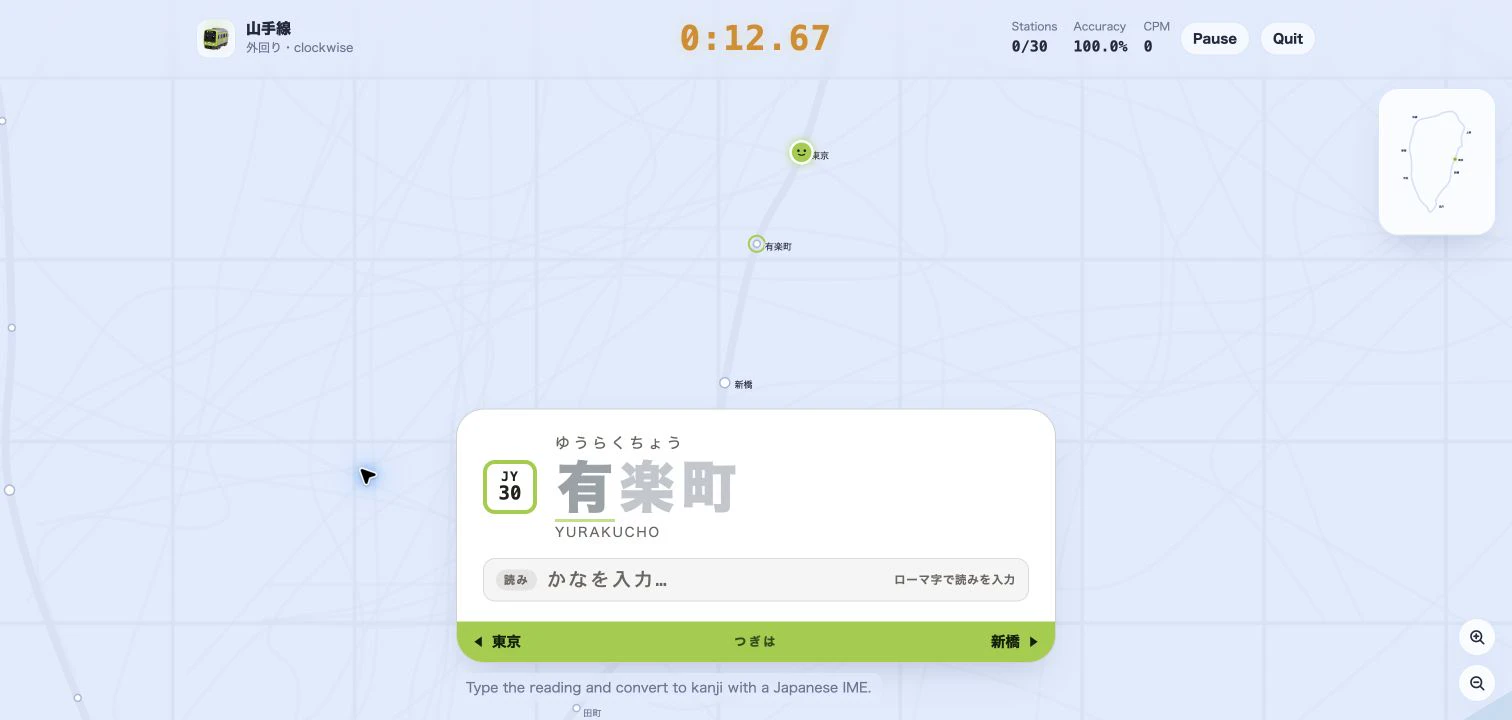
Rail Typing has always shown you the next station and asked you to type it. The new listening mode (聞き取り) takes the name away. The station board goes blank, a Japanese announcer reads the station out, and you type what you heard in romaji. It is dictation practice set on a real railway line: you hear 品川, you type shinagawa, and the train pulls in.
How to start a listening run
Open the setup page of any Japanese line — the Yamanote Line is a good first lap — and pick Listen 聞き取り under Input mode. It sits at the end of the row with a NEW tag, after romaji, kana and kanji, so nothing changes for anyone who never picks it.
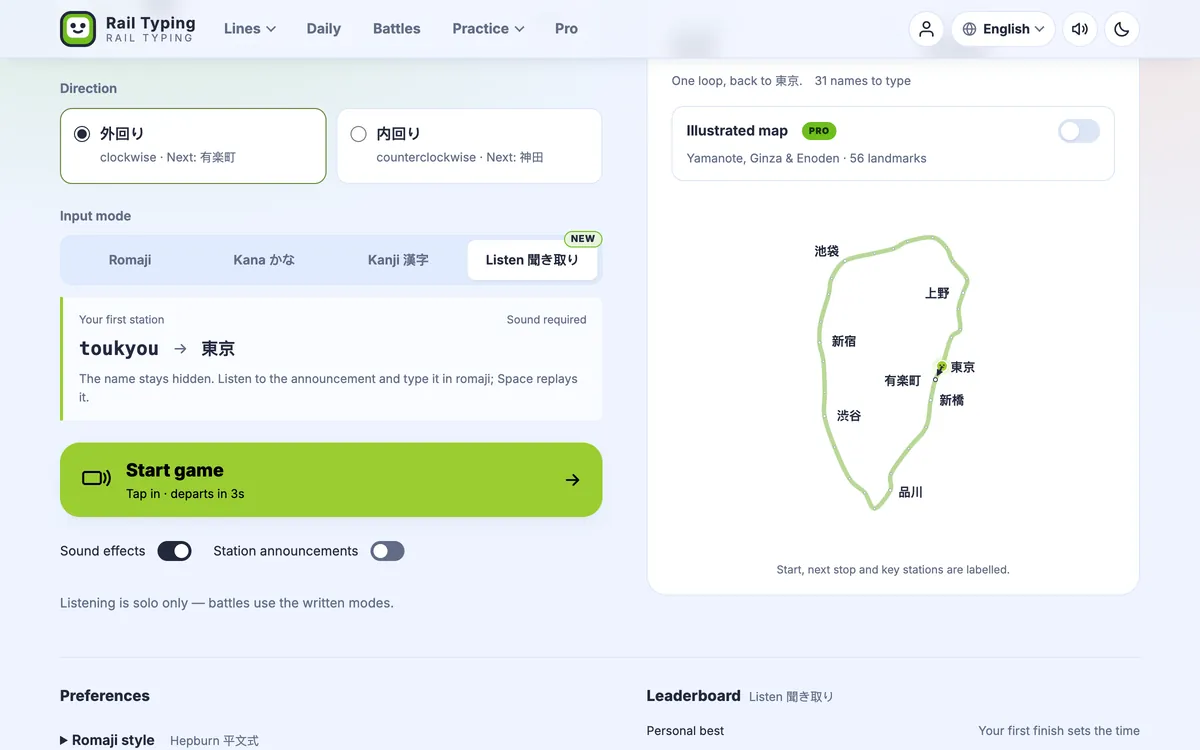
Listening needs sound, so Start game stays disabled while sound effects are off, with a one-tap switch to turn them back on. The Station announcements switch does not matter here: it controls the optional voice in the other modes, and in listening mode the voice is the game. Choose your start station and direction as usual. Your romaji style carries over too — Hepburn and Kunrei spellings such as shi and si are both accepted, exactly as in romaji mode.
The mode is offered on every Japanese line in every city, from Tokyo to Sapporo. London lines are typed as their own English names, so there is no reading to listen for and they keep their single mode.
What you see — and what stays hidden
Everything that could give the answer away is gone. The station board shows ??? where the name would be, with no station number, no romaji guide and no next stop on the band along its foot. The route map only labels the stations you have already typed, and the Pro illustrated map drops its landmark and neighbourhood labels, because some of them are station names too.
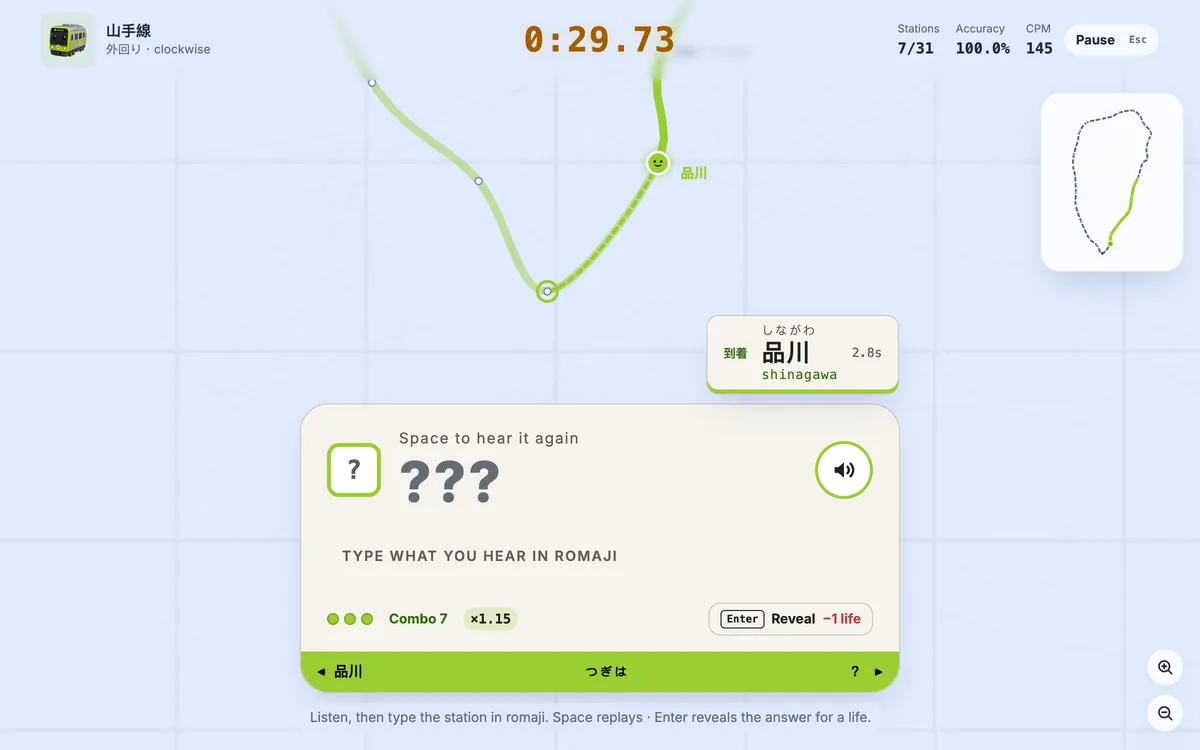
Two keys drive the board:
- Space replays the announcement. It is free, so replay as often as you like. On a phone, the speaker button on the board does the same.
- Enter reveals the answer, at the cost of a life. So does the Reveal button.
Get a station right and you hear a quiz-show ピンポン instead of the usual arrival chime, and an answer card pops up with the kanji, the kana and the romaji — 品川, しながわ, shinagawa — while the next announcement is already playing. That card is where the learning happens: you see what you heard, in writing, a second after you heard it.
Three lives, and what a reveal costs
A run starts with three lives, shown as dots on the board. Every reveal costs one, and so does flailing: the fifth wrong key on a single station reveals the answer for you. Wrong keys are rejected without being typed, so without that limit you could sweep the keyboard until something stuck. Asking twice on the same station is free, since the answer is already on screen.
The reveal that spends your last life ends the run. The board tells you which station it was, how many stations you cleared and your best combo, and offers Try again. Nothing from a failed run is saved, uploaded or counted towards your personal best, so there is no cost to trying a harder line.
Combos speed up the announcer
Every station you type from the audio alone — no reveal, and at most one wrong key — adds to your combo, and the combo sets how fast the announcer speaks:
| Combo | Announcement speed |
|---|---|
| 0–4 | ×1.0 |
| 5–9 | ×1.15 |
| 10–14 | ×1.3 |
| 15 and up | ×1.5 |
A reveal or a second wrong key drops you back to zero and to normal speed. The one-mistake allowance is deliberate: some pairs are close to inaudible even for native speakers. 大塚 (おおつか) and 王子 (おうじ) both carry a long ō, and only the spelling tells おお from おう.
The faster speeds are time-stretched rather than played back faster, so the voice keeps its pitch. At ×1.5 it sounds like an announcer in a hurry, not a tape on fast-forward. Pro members hear the voice they picked under Voice, speed & volume; in listening mode the speed comes from your combo rather than from that setting.
The doors close, and the ride ends
Every solo run on a Japanese line is now framed by two announcements. While the countdown runs you hear ドアが閉まります。ご注意ください (the doors are closing, please be careful), and at the terminal ご乗車ありがとうございました (thank you for riding with us). In the other modes these follow the station announcements switch; in listening mode they always play.
Your result, and a leaderboard of its own
A finished listening run gets the usual result page — total time, WPM, CPM and accuracy — plus three numbers of its own: Best combo, Reveals and Lives left.
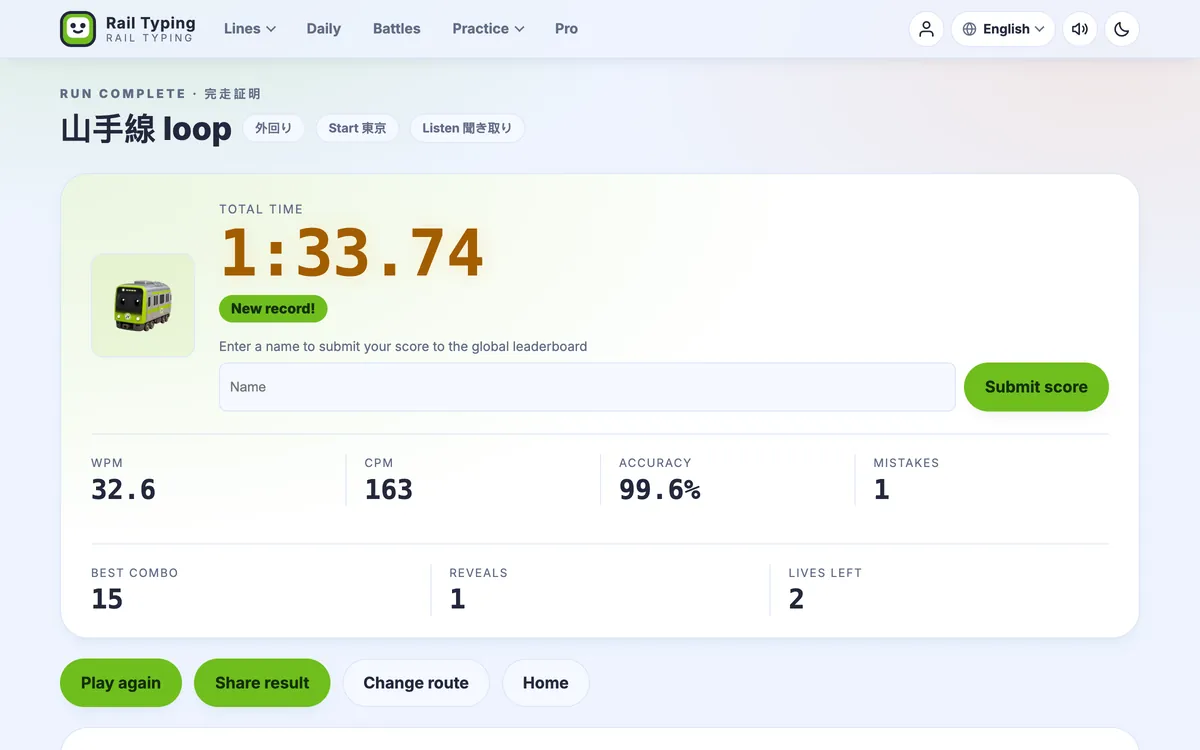
Listening times are ranked on a separate board for each line — here is the Yamanote listening leaderboard — so they never mix with romaji times, where the name is right in front of you. The mode is solo only for now: live battles show the target on screen, so they stick to the written modes.
Tips for typing by ear
- Type the kana, not the English name. 東京 is とうきょう, so the game wants
toukyou, nottokyo. Long vowels are most of the difficulty: listen for the stretched ō and type itsuoro. - Double the consonant for っ. 日暮里 is にっぽり, typed
nippori. A tiny pause before a consonant is the small tsu. - Watch ん before a vowel. 新大久保 is しんおおくぼ, typed
shinnookubo: thennstops ん from merging into the お after it. - Replay before you guess. Space costs nothing; a wrong guess can cost your combo.
If long vowels and small kana are still fuzzy, the Hepburn romaji cheat sheet and the kana trainer are the quickest fix. The Japanese typing test can read its words aloud as well, for shorter sessions. And if you want the voice in the other modes too, station announcements are one switch away.